Flicit:票根立起,座位留在下方
來自 whiten
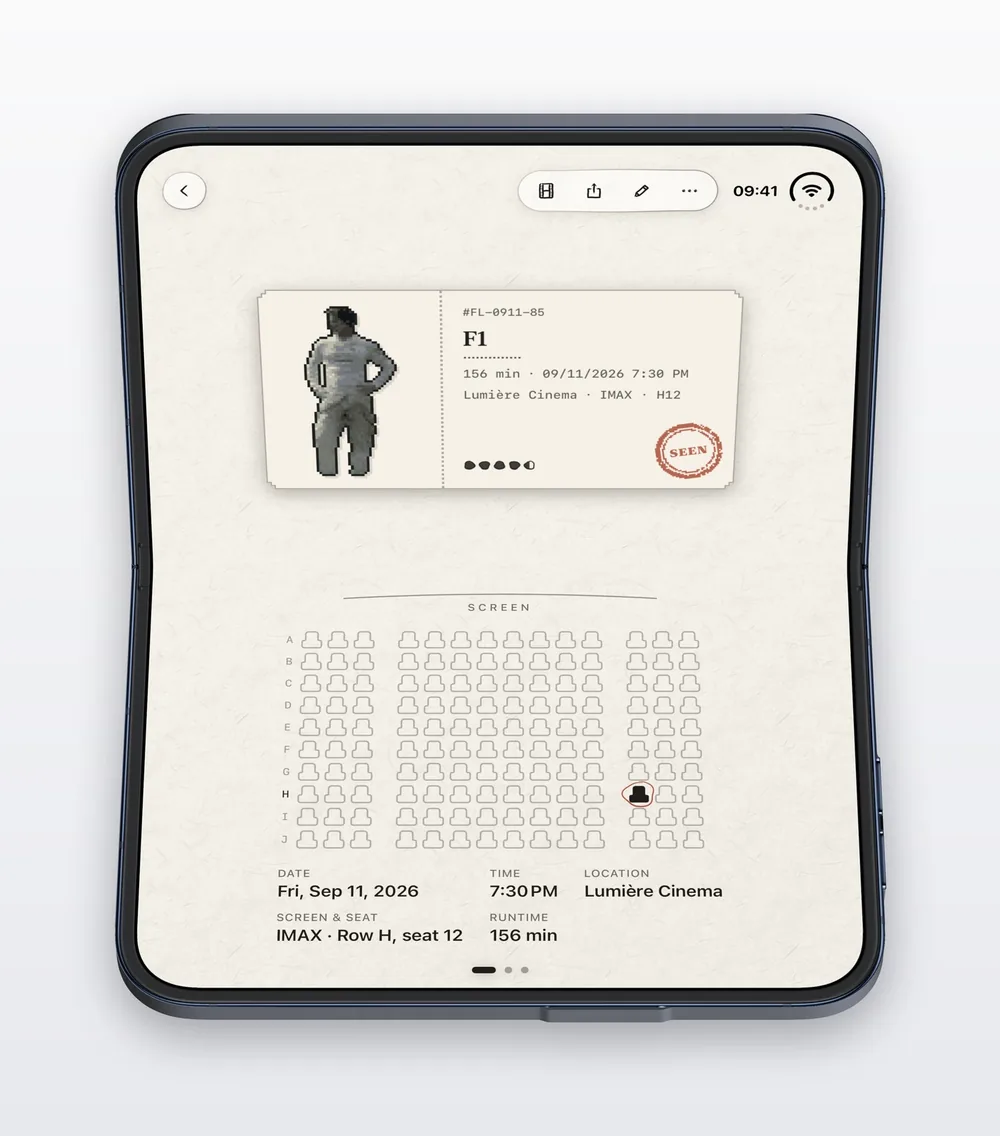
Flicit 是一款把每部電影存成一張票根的觀影日記,這裡是它在 iPhone Duo 上的樣子。像筆記本一樣半折時,票根以橫向形態立在抬起的那半螢幕上,影廳座位圖平放在另一半螢幕上,你的座位用墨跡標出。
為 iPhone Duo 開發的人做出的示範、概念和實驗,收集自 X 和網路各處。有新作發布,我們就會加上來。
來自 658 位創作者的 735 個創意更新於 2026年10月26日
來自 whiten
Flicit 是一款把每部電影存成一張票根的觀影日記,這裡是它在 iPhone Duo 上的樣子。像筆記本一樣半折時,票根以橫向形態立在抬起的那半螢幕上,影廳座位圖平放在另一半螢幕上,你的座位用墨跡標出。
Navid Gooranourimi 的漫畫閱讀器在 Duo 上展開後是雙頁跨頁,摺痕兩側各顯示一頁,中間留有頁間距,可從左到右閱讀,日漫則從右到左閱讀。資料庫把你的收藏集放在封面網格旁邊。
來自 Jack Yu
Jack Yu 的檢測 App 尚未上線,合上時把測試操作堆疊在外螢幕上,展開時則排在起始面板旁邊。它的觸控測試會在沿摺痕的區域內排布更小的單元格。為模擬器截圖,使用的是示例資料。
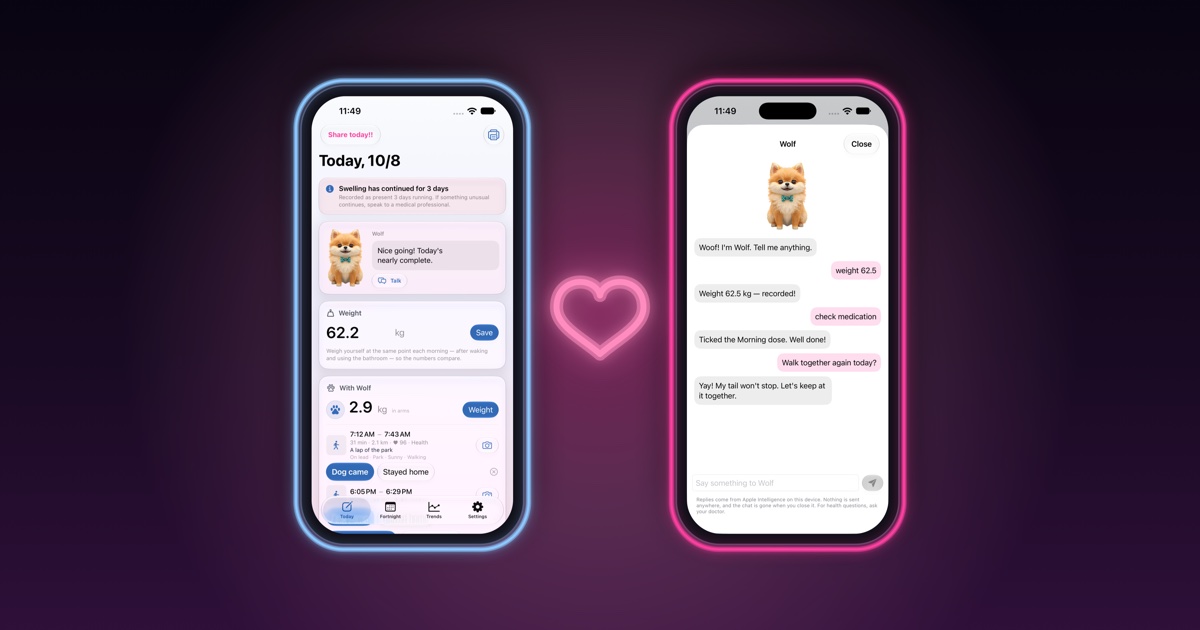
Haruhiko Kishi 的健康日記在外螢幕上顯示今天的記錄。展開手機後,它會變成一本兩週日記,每頁一週。開發者的截圖展示了這兩種介面。
來自 Benedict Woo
Benedict Woo 的校園公交 App 在 iPhone Duo 模擬器中的表現。合上時,站點的到站時間顯示在地圖下方的底部面板中;展開後,面板變成左側的窄欄,右邊是更寬的地圖。手機展開和合上時,你選中的站點保持不變。
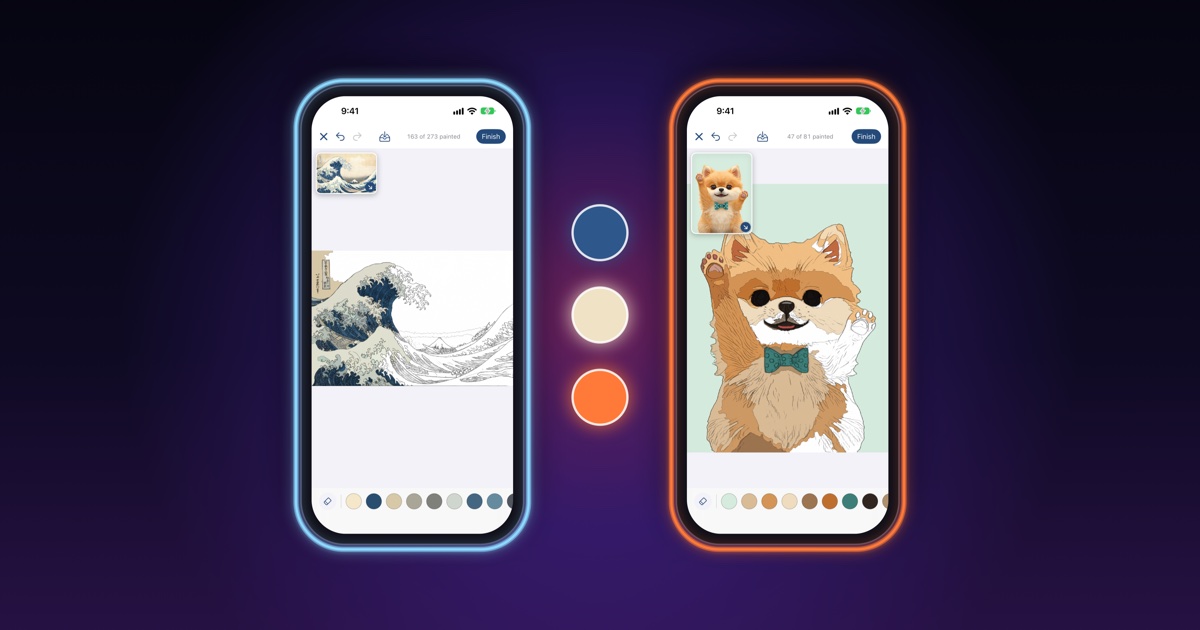
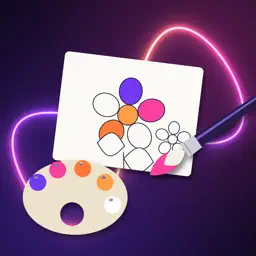
Haruhiko Kishi 的照片塗色 App 在外螢幕上顯示塗色頁和一張懸浮的參考圖。展開後,參考圖位於畫布旁邊,工具沿邊緣排列。開發者的截圖展示了這兩種狀態。
來自 Ryan Ellis
Ryan Ellis 的 Octal 把和絃鍵和一顆塑音珠放在外螢幕上。展開並立起後,作者的宣傳影片在打擊墊上方多出了一個樂器輪盤和迴圈軌道。影片並未說明是 Duo 上的實機錄製。
來自 PageSuite
PageSuite 的新聞 App 示範中,外螢幕上頭條照片和標題上下堆疊。展開後,頭條報道與更多標題並排顯示,影片中還展示了 eEdition 和更寬的字謎格。
來自 James Davie
James Davie 的 Paint & Fold:在展開的螢幕上點上顏料,再合上手機,外螢幕會顯示壓印的過程。再次展開後,顏色已沿摺痕鋪開並形成映象,就像一幅蝴蝶畫。
Navid Gooranourimi 在 Duo 模擬器中做的雙人海戰遊戲:手機平放在兩人中間,各佔一半海域,輪到你時,把你這一半折起來,就能看到自己的艦隊。交接螢幕會要求下一位玩家先確認。
來自 Marko Krulc
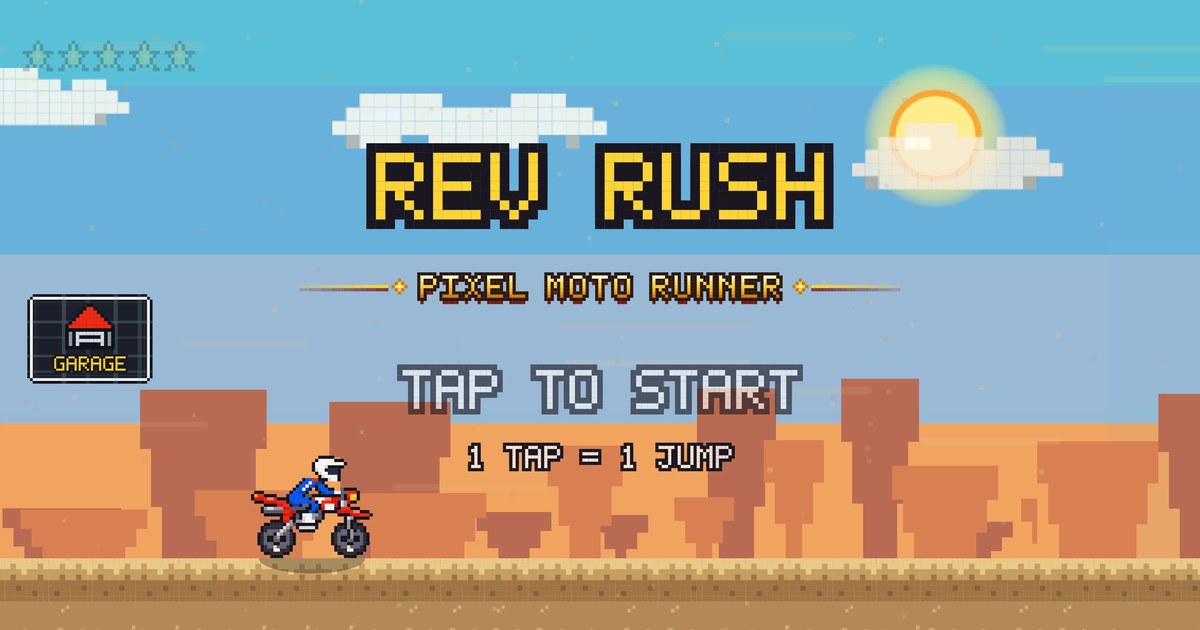
Rev Rush 的跑酷畫面同時出現在兩塊螢幕上。Marko Krulc 帶標註的截圖顯示:摺痕為豎向時,標題移到摺痕右側;摺痕為橫向時,標題移到選單上方;排行榜則把領獎臺放在列表上方。
來自 Russell Ong
Russell Ong 的步行 RPG 在外螢幕只顯示一個頁面;展開後,戰鬥畫面會和當天的連續記錄、任務並排顯示。模擬器截圖來自測試版本,App Store 上的 2.1.0 版本現已列出 Duo 佈局。
MusicFlow 的 Cube 把打亂公式和計時器放在供雙手使用的觸板上方。開發者稱,半折時抬起雙手開始計時,放回雙手停止計時;模擬器圖片展示的是完全展開平放時的佈局。
來自 InfiniteUp
InfiniteUp 適配 Duo:任務步驟鋪滿外螢幕,展開後與進度路徑並排顯示。看板和每日簡報也分為兩頁展示。這些預覽是在瀏覽器中擷取的,不是模擬器。
Inkblotter 是一本在外螢幕上的筆記本。展開手機,在右側頁面滴上墨水,合上手機壓印,再展開就會看到映象的墨跡,右側附有對它的解讀。The Peninsular Company 的影片是模擬器螢幕錄影。
來自 MusicFlow
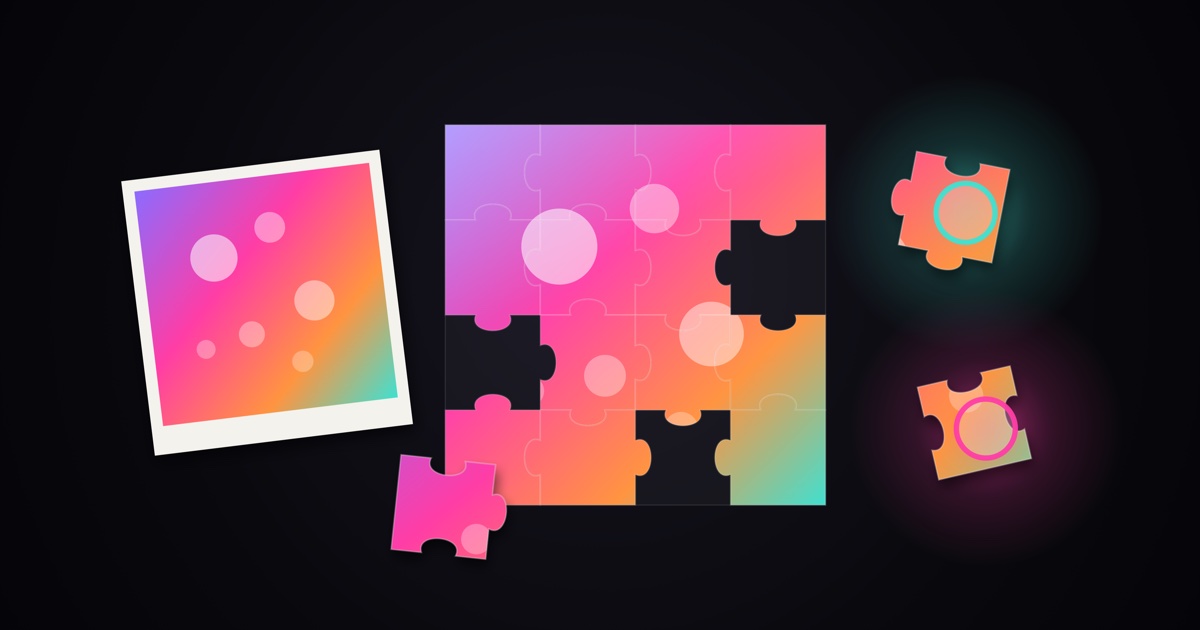
MusicFlow 的 Jigsaw 可以把照片變成拼圖。合上時,拼板在上,散落的拼塊在下。展開後,點按書本按鈕,圖片會被分成兩半,每一半旁邊各有自己的拼塊,兩個人可以一起玩同一幅拼圖。
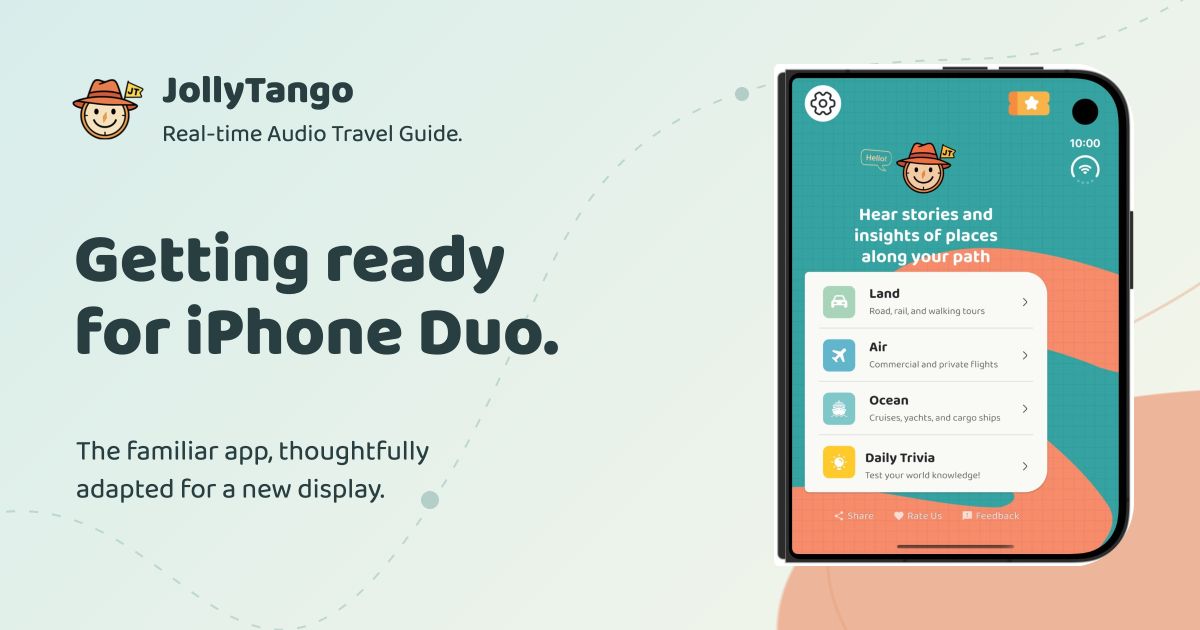
JollyTango 是一款音訊旅行指南,這是它在 Duo 模擬器中的表現:在外螢幕上,地圖位於故事或照片上方;橫向展開時,兩者並排顯示;豎直放置時,又會上下堆疊。該更新尚未發布。
來自 Filibaba AB
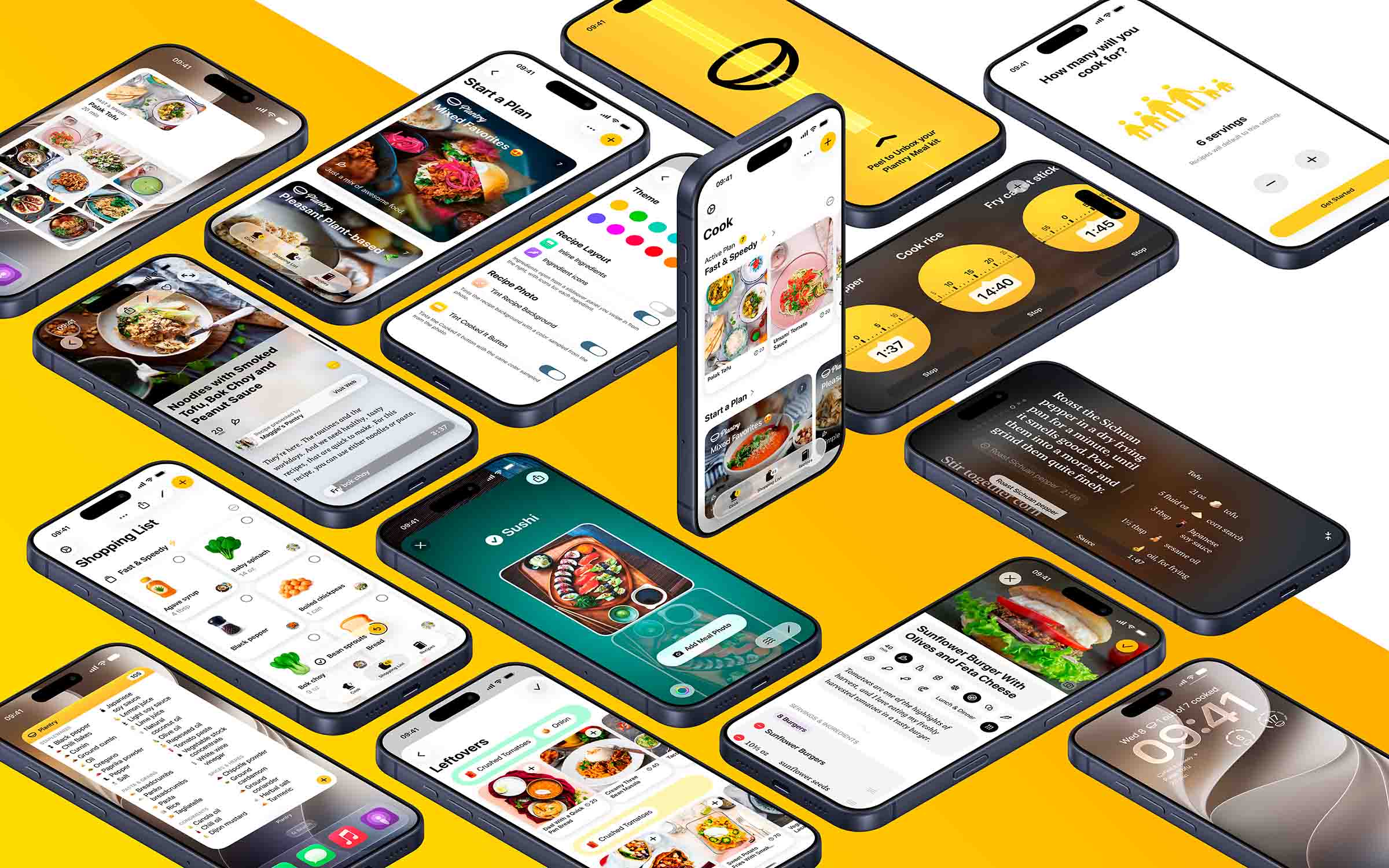
Filibaba 的食譜規劃 App 設想了在半折的 Duo 上做飯的場景:上半部分立起,顯示步驟和計時器,下半部分顯示食材。8.6 版本在 App Store 的說明中列出了對 Duo 的支援;沒有說明這張圖是實機截圖。
來自 Varshny S.
這是 Varshny S.、Neil Solan 和 Justin Sun 在 Bitrig Hacks 上做的演講教練 App。展開後,模擬觀眾顯示在演講者錄影旁邊,下方是回饋卡片。示範中的相機輸入不是即時的。
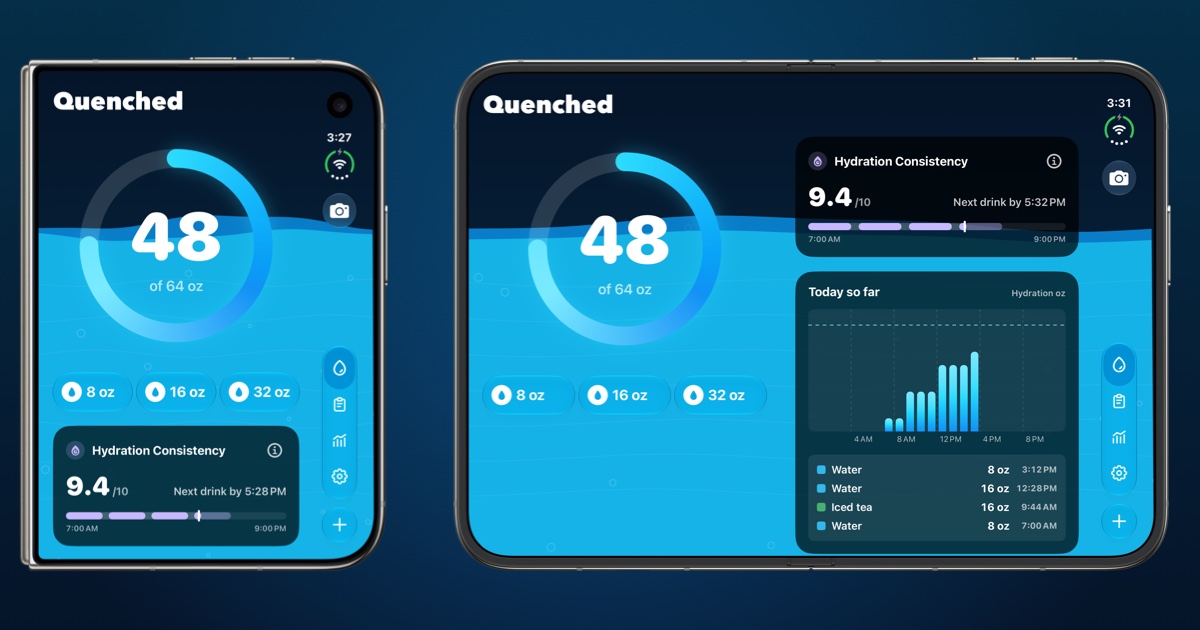
Swift Fox 的喝水記錄 App 在合上時只顯示一欄;展開並橫向使用時,你的進度會顯示在當天飲水記錄旁邊,豎直放置後又回到單欄。截圖展示的是 1.3.3 版本,App Store 上目前仍是 1.3.2。
來自 Appalex Kft.
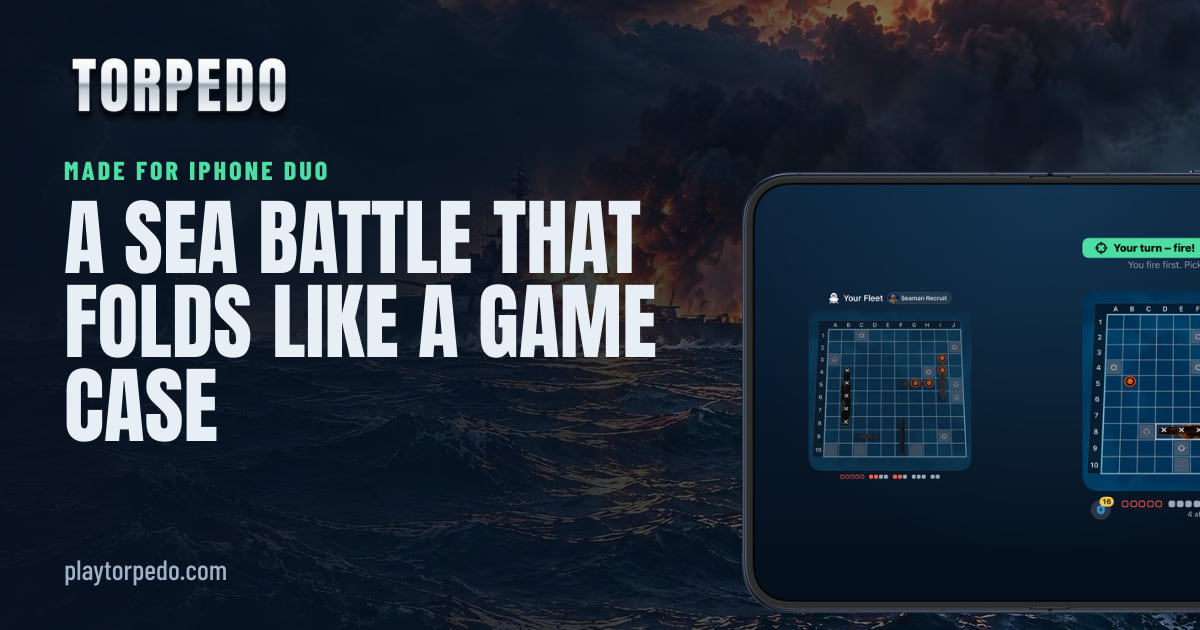
Appalex 為 Torpedo 製作的宣傳效果圖:合上時,你的艦隊位於敵方海域上方;展開時,兩塊棋盤並排顯示。半折時,你的艦隊立在上方,敵方海域和武器在下方。這些圖可能不是實機截圖。
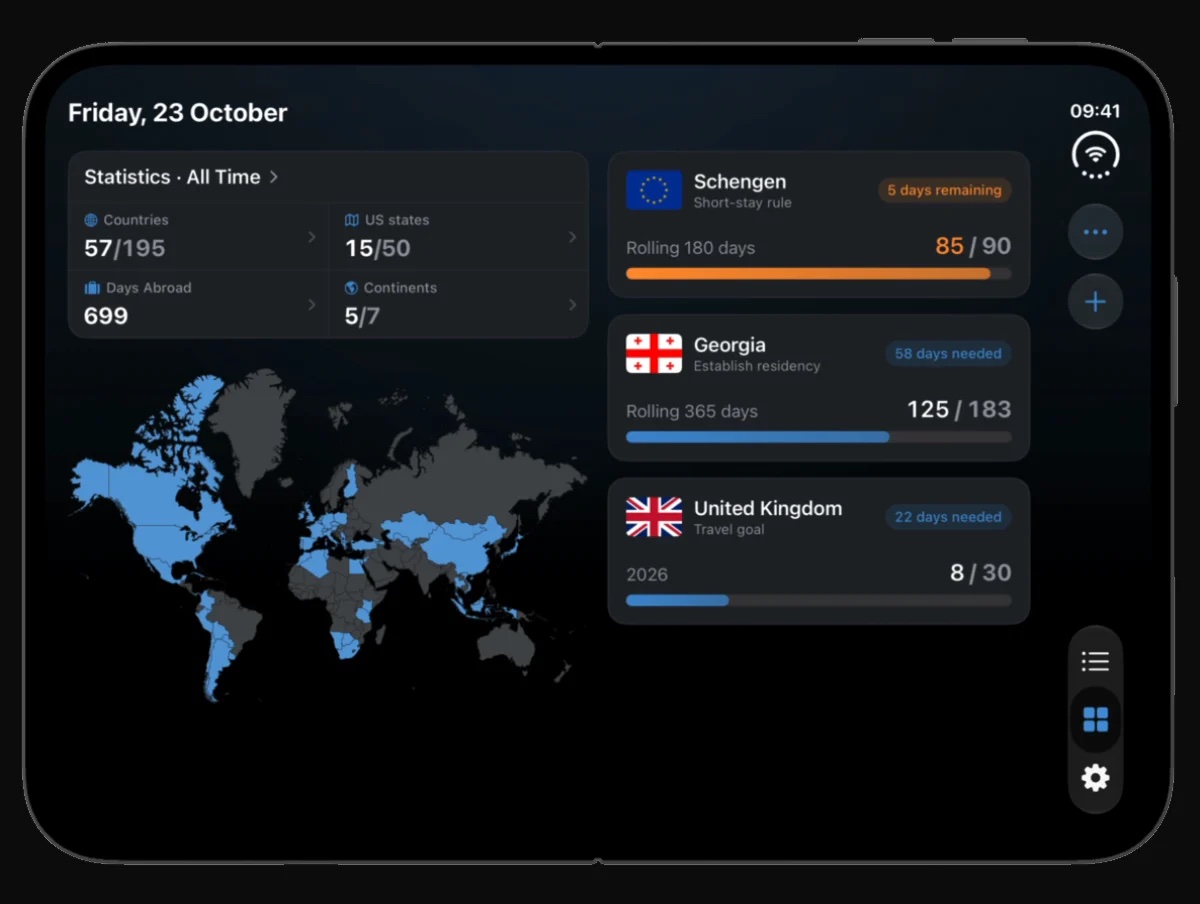
AtlasDays 的預覽,這是 Jorick van Meijeren 開發的按國家統計天數的追蹤 App。合上時,外螢幕顯示你的行程。展開後,日曆與行程列表並排顯示,或者追蹤器與旅行總覽和地圖並排顯示。Duo 版本將在下一次更新中推出。
來自 Modern Logic Tech Solutions
BiblioFuse 是 Modern Logic Tech Solutions 推出的漫畫閱讀 App。合上時,外螢幕顯示精簡的書庫。完全展開後,書庫旁會出現側邊欄,漫畫鋪滿雙頁跨頁;把展開的 Duo 豎立起來,則顯示單頁,並保留當前閱讀位置。
Thierry Maeder 的 ChessLab 1.9 在展開的 Duo 上:棋盤在左,走法和控制在右。這個版本尚未上架 App Store,商店裡目前仍是 1.8.1。
Natalia Andrzejewski 發布了 ClearPage 的預覽短片。ClearPage 是一款面向閱讀障礙者的閱讀器,由 Markus Christian Schmiedeberg 設計。半折時,算式顯示在摺痕上方,符號的含義顯示在下方。完全展開後,摘要和改寫面板會疊放在頁面上。
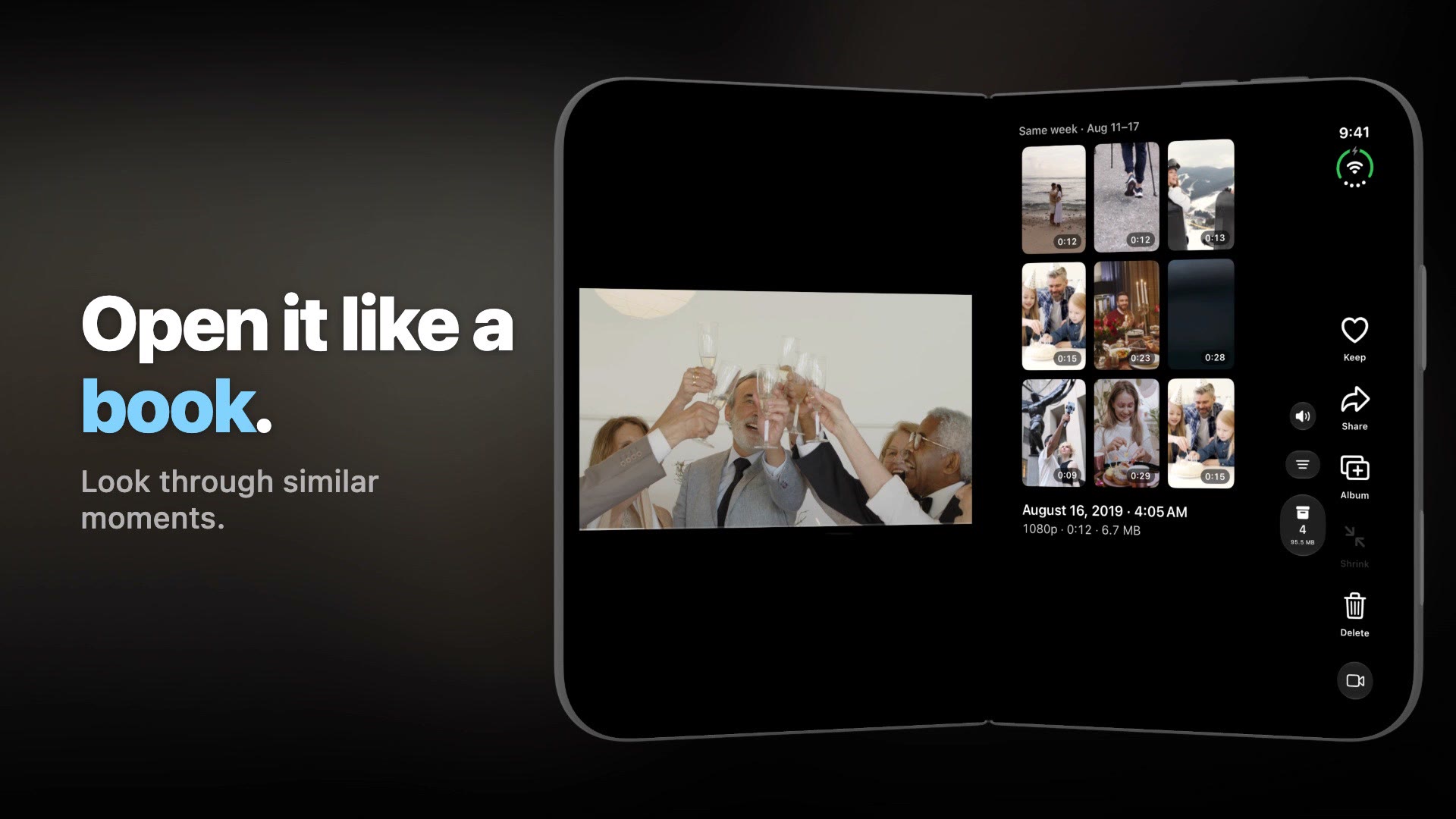
Marshall Ross 展示的 Cloudfull 預覽,用於整理你的影片。合上或完全展開時,控制元件位於側邊。像書本一樣半折時,相關片段顯示在影片旁邊;像筆記本一樣放置時,保留、分享和刪除按鈕位於下方。
來自 Armand Sumo
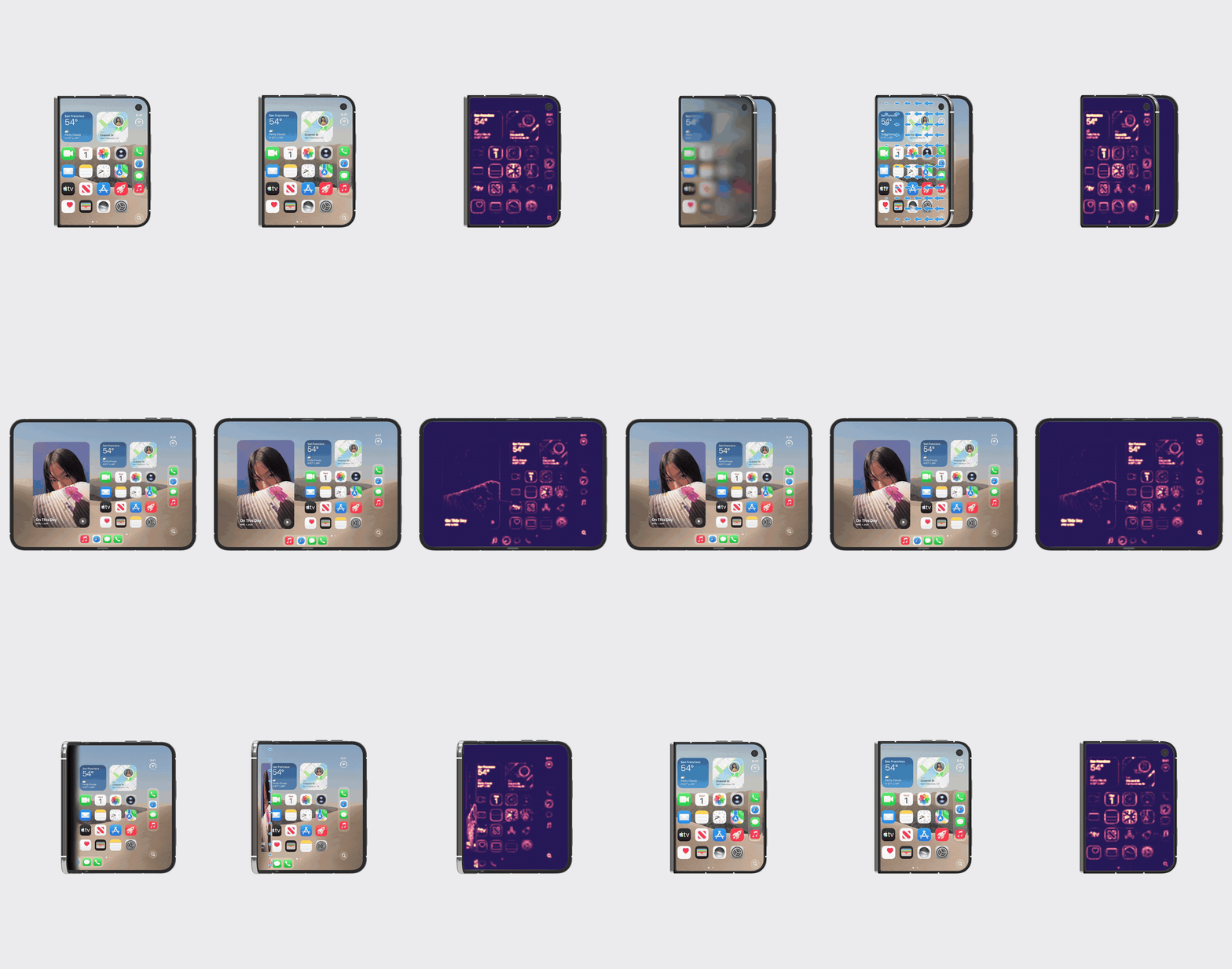
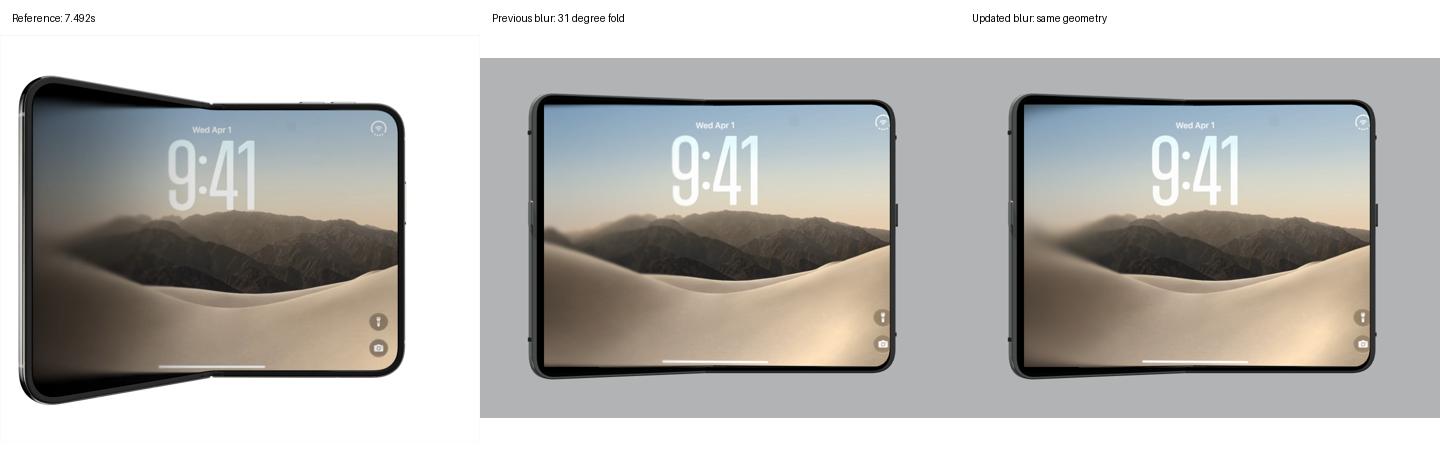
Armand Sumo 重新制作了 Duo 的展開動畫,並在手機摺疊時嘗試不同程度的模糊和畫面移動。逐層檢視展示了這個效果是如何構成的。
來自 Idle
Idle 是 Itzhak Adam Benahron 為車友聚會開發的 App。在展開的 Duo 上,聚會海報與尺寸、照片、文字和樣式的控制項並排顯示。截圖來自預覽版本,內容為示例。
來自 Ephraim Kunz
Ephraim Kunz 對 Airbnb 的 MagazineLayout 做的修復。把合上的 Duo 轉到橫向再轉回來:修復前,表單欄位仍保持橫向時的寬度;修復後,欄位右邊緣重新貼合外螢幕。模擬器螢幕錄影展示了修復前後的對比。
Next Sunny Day 2.0 是 Ryota Kobayashi 開發的 App,告訴你下一個晴天是什麼時候。合上時,外螢幕顯示日期;展開後,日出、日落、風力和紫外線資訊會顯示在日期下方。圖片由模擬器截圖合成。
Brandon Ballinger 在 Empirical Health 的部落格上用兩種方法重現了 Duo 的摺疊模糊效果,並將兩者與 Apple 的影片進行對比。第二個原型基於截圖製作,在展開的內螢幕上,把 App 的指標列表放在圖表旁邊。
來自 bannzai
bannzai 尚未發布的金鑰管理 App 會在外螢幕上顯示某個倉庫的金鑰。展開平放後,倉庫列表會與金鑰並排顯示,審批請求則以半螢幕面板的形式出現在 App 之上。
來自 Dan Payne
Dan Payne 的骰子游戲在外螢幕上把五個骰子疊放在分數和回合控制元件之間。完全展開後,分數和控制元件移到骰子左側。模擬器截圖展示了這兩種佈局。
Mars 的照片清理 App Swipick · 擇影在展開的 Duo 上:清理分組放在照片旁邊,方便對比。檢視單張照片時,照片佔據中間,兩側分別是刪除和保留。
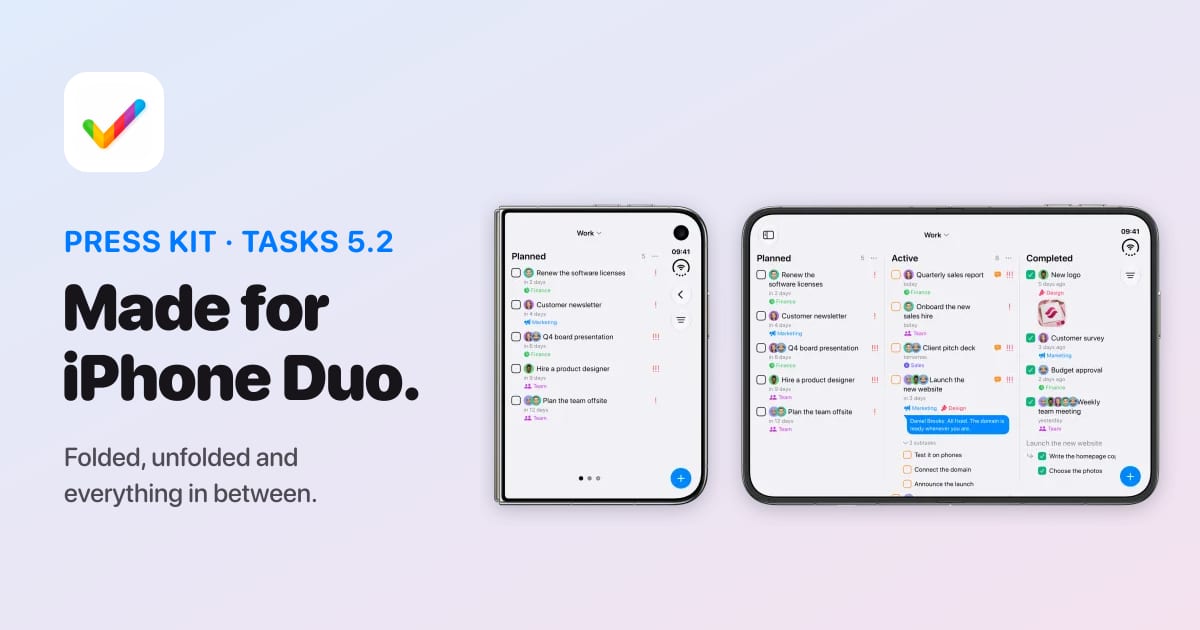
Mustafa Yusuf 展示了 Tasks 5.2 的預覽:外螢幕上顯示一列,展開後是看板,半折時,新任務的卡片會避開摺痕。開發者稱 5.2 已經發布;但在新增這條內容時,美國區 App Store 仍顯示 5.1。
來自 Sejalben Bahadursingh Bihola
ThinkScribe 的錄音器在外螢幕上用標籤頁分別顯示轉錄文本、摘要和聊天。展開後,選擇“並排”即可讓轉錄文本與摘要並排顯示;最近的錄音記錄位於錄製按鈕旁邊。
Designed and built a concept exploring how Chowdeck could look on the iPhone Duo.
來自 Doran Gao
Doran Gao 的漢字手寫練習 App,在 Duo 模擬器上執行。合上時,練習操作和標籤頁移到外螢幕右側的豎向欄,書寫區保持開闊。展開後,頁面空間更大,標籤頁回到底部。
本日app storeの審査通って散歩アプリ「街巡-まちめぐ-」、iphone Duoに対応しました! 健康系アプリ業界(ほぼ)最速です😆 (10/23発売)Duo検討の皆様、今後とも通常スマホの皆様、「街巡-まちめぐ-」をよろしくお願いします! #iphoneduo #duo対応アプリ #まちめぐ


Apple's guidance for adapting tab bar apps to the Duo makes a lot of sense: put the tab bar on the side so it's easier to tap when holding a big screen But there is one inconsistency: unfolded portrait orientation This is the only Duo layout permutation where Apple reverses… Show more


PodMelody 1.1.6 is out, made for iPhone Duo 🎧 Closed, your mix is on the cover screen. Open it out and Music and Podcasts sit side by side as one spread. Also new: tap any episode or song to play it now, and your mix carries on afterwards. apps.apple.com/app/apple-stor…

Stewart Lynch 用同一個 ToDos 示例,以三種方式在 Duo 模擬器上建置。用 Xcode 26 建置時,展開後內容被夾在兩條黑邊之間;用 Xcode 27 建置時,一側仍留有一條豎向欄;用 27.1 重新建置,無需改動程式碼,內容就能鋪滿內螢幕。
Y-Pod is ready on Day 1 for iPhone Duo @AppStore #iPhoneDuo #iOS27 #buildinpublic
來自 OlivierBern
OlivierBern 在 Duo 模擬器上執行的 SwiftUI 單位換算器。展開平放時,類別網格在摺痕兩側各有三列,而不是七列、其中一列壓在摺痕上;鍵盤位於列表旁邊,設定頁則把單位放在類別旁邊。
Chronicle 14.11 for iOS is fully updated and optimized for the iPhone Duo! We've updated toolbars and buttons so that they all gracefully slide over to the side, and it works great in multitasking too. Who is planning to preorder the Duo on Friday?


Lazy Sunday with iPhone Duo adjustments. Not sure what's the probability that at least one of two #clipsana users will have #iphoneduo, but we will be ready. #buildinpublic #indiedev #ios
Just a little update. Flit is ready for Duo! Can't wait for you to try it. It will be on the App Store on October 23rd.
 Edoardo Galati@edogalatiI might not be very active on X, but that’s just because I’m cooking every day.
Tired of boring RSS feeds? If @avec was the Tinder of mail, this is the Avec of RSS feeds.

Pickle Rite is ready for iPhone Duo! 🚀 Play. Track. Improve. Master Pickleball One Pickle at a Time. 💚 🔗 picklerite.app #Pickleball #iPhoneDuo #iOS
Red Light For Your Eyes Will be ready on iPhone Duo With special interaction designed for Duo only apps.apple.com/app/id64492020…
 BULLTECH ᯅ@bullte_chBackground task on optimizing MakeNessAI for iPhone Duo (that will be release 23 oct)
It looks like OpenAI solved the Navier-Stokes Millennium Prize problem!
Let's try a test to learn more about the problem (response pre generated from TestFlight version here).
Result : some

meetthemets98 在 TestFlight 上發布的遊戲待玩清單追蹤 App。合上時是你的遊戲架。展開後是待玩遊戲選擇器,每款遊戲一頁。像 DS 一樣豎直展開持握時,每日問答把題目放在上半螢幕,A/B/C/D 按鈕放在下半螢幕。
來自 Kathy Tafel
Kathy Tafel 的 The Recipe Box 在 Duo 模擬器上的示範。合上時,外螢幕顯示一道菜譜;點按步驟中的時間,計時器會浮在菜譜上方。完全展開後,食材和步驟並排顯示,也可以並排顯示兩道菜譜,計時器仍在執行。
Working on iPhone Duo support for TVScope 📱 Unfold it: the Apple TV picture on the left, the Remote on the right. Library and Settings split at the fold. Fold it shut and it's still the iPhone layout. Work in progress. #iOSDev apps.apple.com/us/app/tvscope…
Folding the numbers. 📊 This is App Portfolio on iPhone Duo: yesterday’s numbers on the outside, every app you sell in one chart on the inside. Tap through to countries, devices and more. #iosdev #indiedev #buildinpublic
Sergii Ziborov 的 Crabrix 可以在手機上執行 Rust 編譯器。在程式碼倉庫的截圖中,README 稱之為 Duo 筆電式姿態的畫面裡,程式碼佔滿上半螢幕;下半螢幕是面板標籤頁和鍵盤,或是執行輸出。
Duo Flip Phone — flip it open, text like it's 2003. Out Oct 23. nayukitecture.com/works/duo-keit… #iPhoneDuo #Duo
In less than 24hrs, I created an #iPhone #Duo simulator for #godot games.... AI has changed us from being software engineers to #OutcomeEngineers
Flexi is ready for iPhone Duo! I’ve adapted my language-learning flashcard app for both displays. In Seated mode, the card stays up top, with audio and review controls below — ready to study on a table.

OurCal 2026.10.9 is now available, featuring: ▪️ 📱 Ready for iPhone Duo ▪️ 🖥️ Redesigned for iPad ▪️ 📅 Week numbers, everywhere ▪️ ⚙️ App Settings ▪️ 🤖 Android catches up ourcal.com/releases/2026-…

Popfold for iPhone Duo: close it and it's a photo card. Open it and the people in your photo stand up out of the fold. Your own photos, cut out on-device. Shipping for Duo launch. Built on @bitrig with @JolinJiao
Basement Softworks 的新聞閱讀 App Scoopy 在模擬器中的表現。合上時,新聞內容鋪滿外螢幕,旁邊有一條側欄。展開放平或像書一樣半折時,頭條與標題列表相對;文章則把配圖和標題放在正文對面。
VCamカメラ 1.1.5でiPhone Duoにも対応✨ L字で開くと標準のカメラアプリみたいな動きになるよ〜 だけど、iPhone Duoにはトラッキングの精度を支えるTrueDepthカメラと、ARの体験を向上させるLiDARセンサーがないから悩ましいね〜⤵︎⤵︎ #Vtuber #VRM #VRoid
 VCam@vcamappVCamカメラ 1.1.5が公開されたよ✨
スタジオモードでも右下のメニューから被写界深度が使えるようになったよ〜
背景のぼかしも使いやすく改善‼️
これまで読み込めなかったモデルにも対応したから更新して試してみてね✨
apps.apple.com/app/id68103207…
#Vtuber #VRM #VRoid

來自 路远 陈
Be Still Bible 是一款帶音訊的聖經閱讀 App,這裡展示的是它的 App Store 宣傳圖。像書本一樣半折時,章節與高亮的經文和你的筆記相對而立。像筆記本一樣放下時,文字在播放器上方;合上後,它會繼續朗讀。
iPhone Duo対応というか、開閉動作をゲーム操作要素に加えるだけのPoCとして作ったミニゲームアプリの審査3度目でやっと通過した。 けど、動画での紹介は通らなかった……気が向いたら続きは普通の横スクロールシューティングかRPGか麻雀世界にするんだ……🥺 apps.apple.com/jp/app/%E8%BB%…
Craig Clayton 在一個影片系列中為劇集追蹤 App Countdown2Binge 做了適配。半折時,原本會跨過摺痕的設定卡片會移到右半邊;完全展開時,它又回到中間。第 1 集把工具列按鈕移到了一旁。
I use custom bars and sometimes custom sheets in my SwiftUI apps, so when I first saw iPhone Duo, I thought it’d be a nightmare. But after studying native bar behavior, I recreated it with almost seamless automatic adaptation. Here’s a little demo.
這是來自 Use AI with Tech Dad 頻道的一款打磚塊遊戲,在模擬器上示範。合上時,控制元件位於遊戲區域下方;外螢幕橫過來時,控制元件排成一行。完全展開後,控制元件移到遊戲區域旁邊;展開時本局會暫停。
Live Streaming Teleprompter App Designed for iPhone Duo. Coming soon. Learn more at getduoprompt.com

Building adaptive layouts in #SwiftUI! Even Columns Demo compatible (iphone, ipad, iphoneDuo) github.com/Codelaby/Iphon… #iOSDev #SwiftUI #iphoneDuo
來自 Lotus Apps
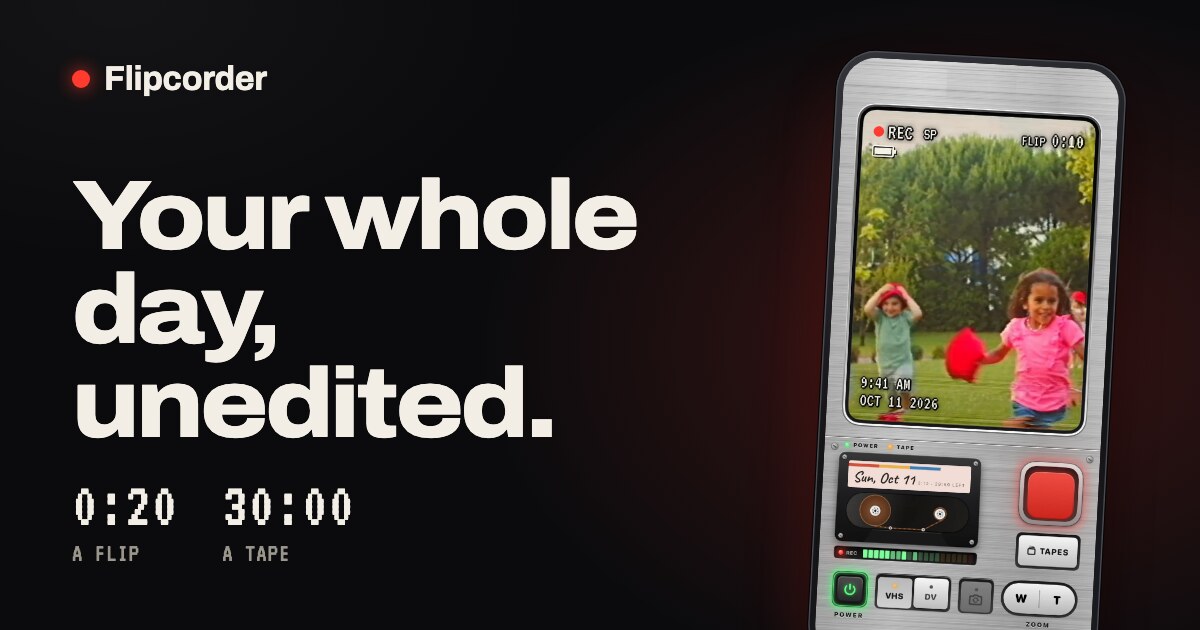
Lotus Apps 的 Flipcorder,一款 1991 年風格的攝像機,定於10月23日推出。展開手機即開機,取景器在磁帶和錄製鍵旁邊;完全展開後,外螢幕會在 REC 畫框裡顯示被拍攝的人。合上手機時儲存這張快照。
來自 Paul Nguyen
Paul Nguyen 做的立體書。合上時,封面是燙金精裝書皮。展開 Duo,書隨之開啟,紙質場景一一立起。捏合進入發光的視窗,即可進入下一章。
iPhone Duo Apple's folding iPhone is coming, and iCertifi is already being made ready for it. Folded shut, the outer screen works like the iPhone in your pocket now. Start a new certificate or open a saved one in a couple of taps. Open it out and the EICR fills the whole inner… Show more

Aniline Applications 的 Indigo 是一款 Bluesky 和 Mastodon 客戶端。合上時,時間線佔滿外螢幕,旁邊是一列按鈕;在不同時間線之間滑動時,它們的圓角會隨外螢幕的形狀變化。完全展開後,標籤頁移到左側一欄。
來自 Daniel Saidi
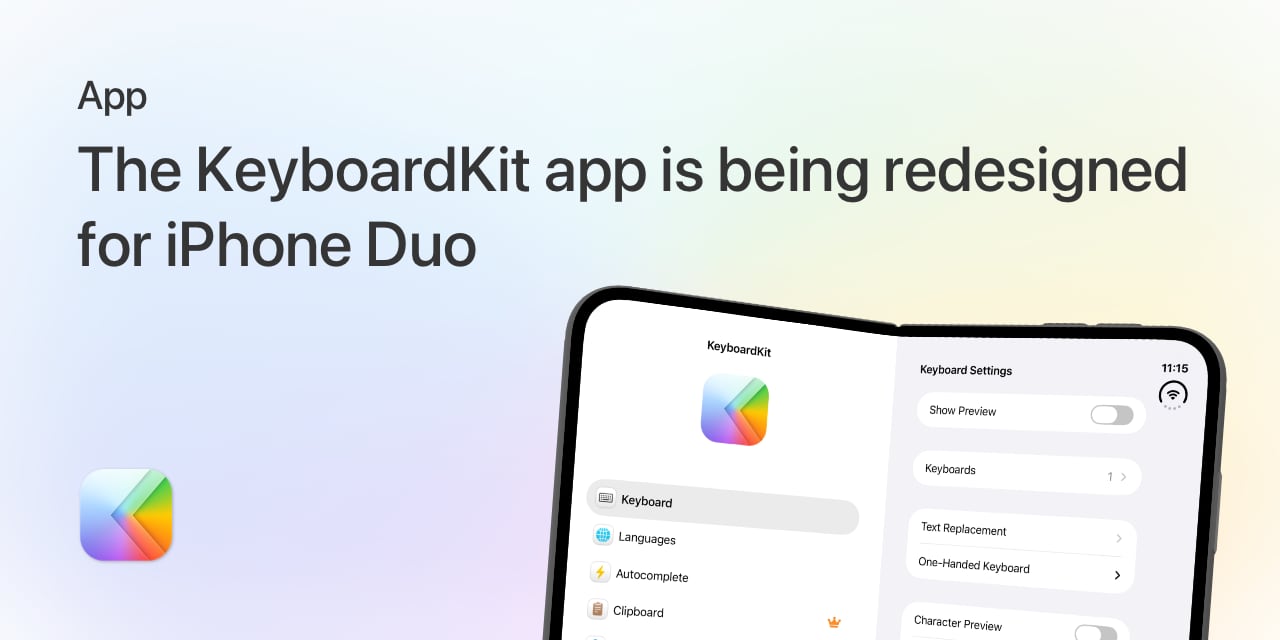
Daniel Saidi 的 KeyboardKit App 正在為 Duo 重新設計。合上時,選單是一個簡單的列表。像書一樣半折時,選單和所選的設定頁面分列在相對的兩頁上。完全展開時,選單收窄為側邊欄。
everyone's been trying all kinds of things on the iPhone Duo… so I turned it into a Yu-Gi-Oh! binder #YuGiOh #UIdesign #iPhoneDuo
來自 Liu Tao
劉濤的 LinkShell 讓你可以跟蹤並指揮執行在電腦上的程式設計 Agent。在模擬器截圖中,合上時聊天內容佔滿外螢幕,按鈕排列在一側;完全展開後,聊天內容會顯示在 Agent 修改過的檔案或預覽旁邊。
Armchair astronauts, get ready to unfold iPhone Duo. Living Earth is coming with a planet that spreads across the whole inner display, sharper clouds, and a zoom that goes from orbit to the coastline. #iPhoneDuo

I guess MadiCam now supports the iPhone Duo 😃. I doubt many divers would dare to take the Duo underwater, but it was a cool experiment. Playing around with all the screen configurations was quite fun too!


Momego is now ready for iPhone Duo, with great new capabilities that take advantage of Split View and the larger size of the inside screen. After spending two days with a real Duo, we think it's going to be a hit with travellers! 🧵
來自 Hugo Pinon
Hugo Pinon 的白噪音 App 在 Duo 模擬器上的表現。合上時,場景顯示在聲音混音器上方的圓形視窗中。完全展開後,混音器移到左側欄,動態火焰場景佔滿其餘區域,也可以佔滿整個螢幕,立起時同樣如此。
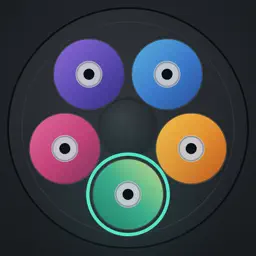
Building a 5-disc CD changer for iPhone Duo 💿 Unfold the phone and the jewel case opens. Then load the disc into the carousel. Penta is already on the App Store. Duo support coming soon! Demoed on @bitrig, which has the best Duo simulator!
どんな日本人の手にも合うiPhone Duo向けキーボードアプリを開発中です!! その名も✨Reach!✨ ✅ ひらがなキーボードを右にも左にも配置 ✅ キーボードの幅・高さを調整可能 ✅ 勿論インナー・アウターディスプレイ両方に対応 乞うご期待! #iPhoneDuo #個人開発 #iOSアプリ
Small experiment with iPhone Duo. Turned it into a 1960s suitcase record player 📻 Closed, the outer screen is the lid, with a smoked window onto the record spinning inside. Open it and everything lines up exactly where it was. Pick a sleeve and the record slides home before… Show more
I'm having too much fun with Duo. It's forced me to redesign @ruplyapp for everybody. This is a much, much better design for usability. Coming soon. haha

Making product posters for the Duo has gotten ridiculously easy. Screenshot in, pick an angle, export — done. The open/close blur effect? I replayed it three times. It's already in the review queue. Come on, review team 🔥
Dimitris Kontaris 的 Terminus 是一款地鐵線路圖邏輯解謎遊戲,這是它的 App Store 宣傳圖。像書本一樣展開時,棋盤佔滿左頁,右頁顯示每條線路的進度;合上時,棋盤在上,下方是“撤銷”“提示”和“重置”。
it's gonna look crazy, the landscape unfolded layout is gonna have 2-panes, timelines will persist on the right, left side pane always accessible vertical tab bar is fucking with me mentally but I'm trying to make my peace with it lol

Uplock is ready for iPhone Duo, and we’re excited to bring it to you on day one. Uplock adapts the UI smoothly as you open, partially fold, close, and rotate the device. Touch ID support keeps authentication quick and secure. See you for our Duo debut on October 23!

made a magazine reader for the iPhone Duo...open the phone, open the magazine what would you want to read on the duo first?
i made a snacking experience for the @Apple iphone duo 😇 click to munch on the snacks and personalize your pantry door :) getting link ready to share soon ~
I turned a foldable iPhone Duo into a pop-up book 📕 Unfold the phone → the book opens with it. Pinch the glowing window → you fall into the next chapter. Built in React Native 📖✨
The Duo split keyboard looks crazy on the typewriter! When folded, the keyboard splits around the hinge, keeping Apple’s reserved region clear (design guidelines) Wdyt ?
Here's some more iPhone Duo interactions in 𝚛𝚎𝚊𝚌𝚝-𝚗𝚊𝚝𝚒𝚟𝚎-𝚜𝚌𝚛𝚎𝚎𝚗𝚜 ✅ Split Columns adapt to the half-folded mode ✅ Tabs move to the side also when nested inside other containers ✅ Search Field moves to the trailing edge when half-folded
Duo Golf is a mini golf game for iPhone Duo where each screen is a different area of the same level. Both screens are playable at once when the Duo is fully open! Bend the hinge to unlock paths and find shortcuts. A mix of classic mini golf and Boomerang Fu power-ups.
來自 GoodBarber design team · 經授權展示
GoodBarber 設計團隊發布的 Duo 開放指南。每種模式的規則都標明是 Apple 的還是他們自己的,並附有示範:外螢幕上以及展開的 Duo 橫向時,欄移到側邊;半折時,網格避開摺痕。
DuoRoute 是 Use AI with Tech Dad 頻道發布的一個日程規劃原型,執行在 Duo 模擬器中。合上時,外螢幕把地圖疊在當天的步行路線上方。完全展開後,倫敦路線顯示在列表一側,並附有時間和距離。
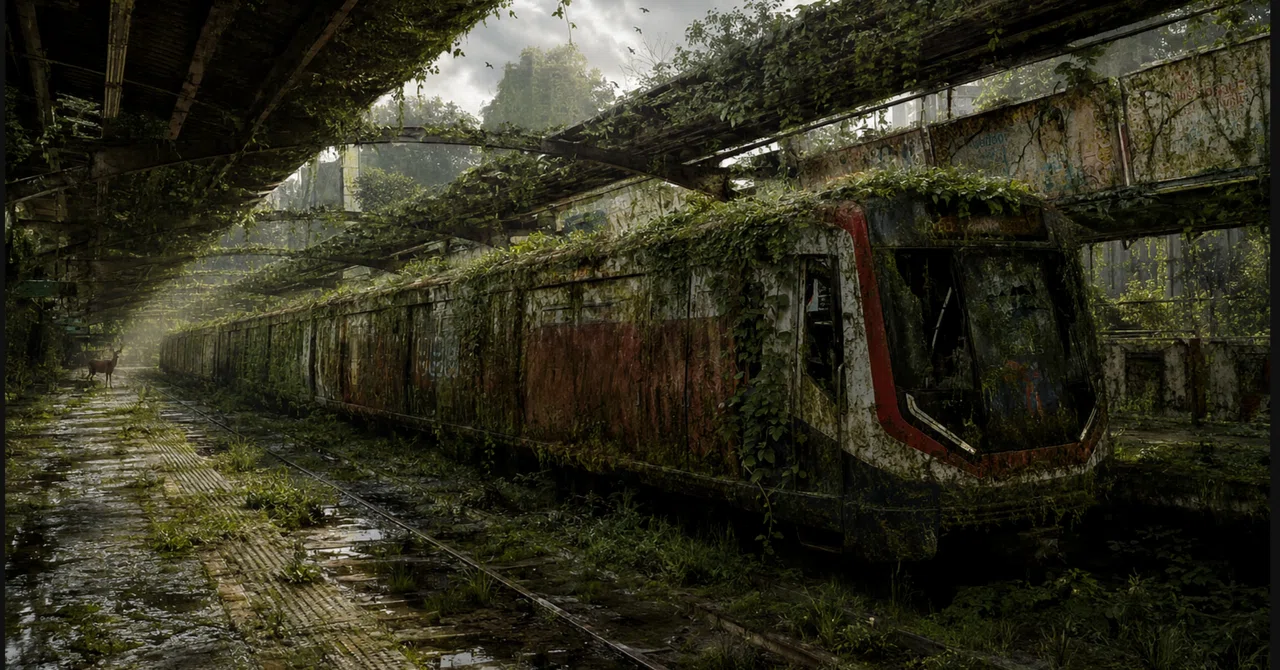
Dear AI Designer 的“千年カメラ”(Dystopia Camera)能呈現你所在街道一千年後的樣子。在 iPhone Duo 上展開放平後,今天的照片和長滿植被的荒廢版本並排顯示,還可以切換成滑塊對比,並有儲存、分享或生成影片的按鈕。
I made a time machine camera for iPhone Duo. Fold it, snap your street, dial a year on the nixie tubes. AI rebuilds the exact scene for that place and time. Then you open the phone and watch it arrive. Mission St, 1894 👇
I've been Duo-pilled! After a month of digging into the new SDK (and a visit to Cupertino) Finalist is ready for iPhone Duo. My paper-inspired planner really feels at home on this device.
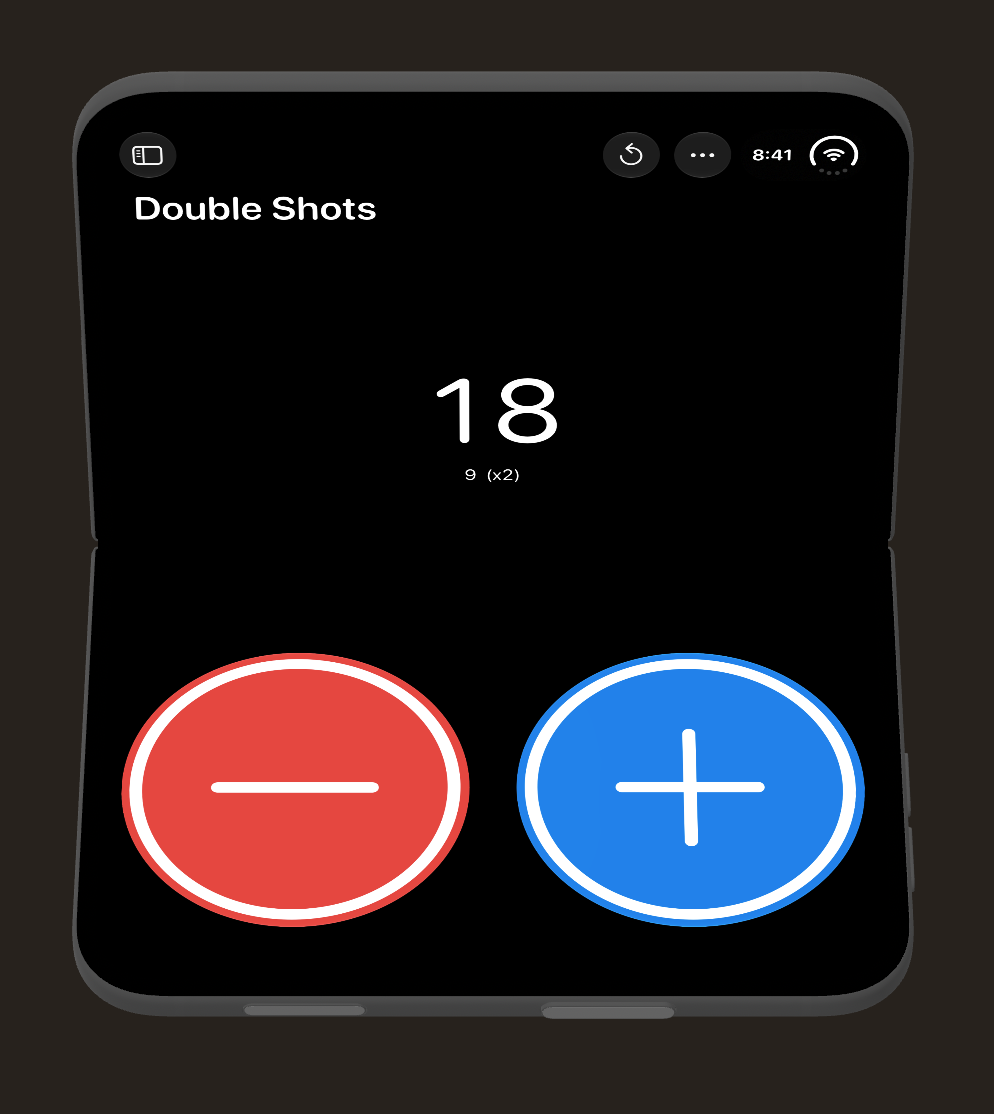
這是 Hwee-Boon Yar 的遊戲創意,免費送給任何想開發的人。展開手機放平,盯住蒼蠅,等它飛到摺痕附近,再像合上一本書那樣合上手機拍死它。這個簡陋的原型在螢幕上畫出摺痕,並用滑塊模擬摺疊。
Folio- Reader built for the iPhone Duo Still some work to be done
 Dew@deweydollaWorking on an e-reader app(nothing new) but I want it to be built around the iPhone duo

Anders Johansson 的 Framedevice 在 Duo 模擬器中的表現。合上時,標籤頁沿右邊緣排布在時鐘下方,“裝置”標籤頁顯示姿態為合上、轉軸角度為 0 度,“樣機”可以把截圖放進合上或展開的 Duo 中。
收藏本頁,或通過 RSS 訂閱。下次造訪時,新創意會帶有新標記。