
A color-coded to-do list: your week on the cover, the month beside today's tasks open
Does Smart Tasks - Lists Made Easy work on iPhone Duo?
Yes, since version 3.7.2 on October 22, 2026, and seen in simulator screenshots: closed, a category's week and tasks fill the cover; open, its month sits beside the day's tasks.
- Simulator verifiedFrancesco Prospato, the developer, in an email to FoldHunt on October 22, 2026, pointing to an Instagram post from that day with screenshots of Smart Tasks on the iPhone Duo, closed and open, in different category colors. The App Store seller is Francesco Prospato. The release notes for version 3.7.2 (released October 22, 2026) say Smart Tasks now supports iPhone Duo, closed or open, that the + button joins the controls on the side of the screen, and that the Month and Week layouts in categories use the whole screen when the Duo is open.
Adapted for the fold
- Closed · Outer display
Your week on the cover
Closed, a category shows a strip of the week at the top and its tasks under Today, Tomorrow and the days after. The back, layout and more buttons sit in a column down the right edge under the camera, and the + button joins them at the bottom.
- Open · Inner display
The month beside the day's tasks
Open, a category's Month layout uses the whole display: the month fills the left half and the day's tasks the right, with a sidebar button beside the category's name and the controls down the right edge.
About Smart Tasks - Lists Made Easy
Smart Tasks is a to-do list and weekly planner built around color-coded categories, made by Francesco Prospato, a solo developer, and on the App Store since 2020. It lays out the next seven days one day at a time, lets you drag and swipe to add, reorder and act on tasks, and gives each category one of 42 colors or one you make yourself. Apple Calendar events show above the day’s tasks, reminders can be imported from the Reminders app, and there are widgets, Siri and Shortcuts, on iPhone, iPad, Mac and Apple Watch with no account. It’s free to download; a Smart Tasks+ subscription adds iCloud sync, reminders, routines, notes and the week layout.
Version 3.7.2, out on October 22, 2026, adds iPhone Duo support, closed or open, along with Month, Week and List layouts for each category. Closed, a category fits on the cover with a strip of the week at the top, and the + button joins the controls down the side of the screen. Open, the Month and Week layouts use the whole display: in the developer’s screenshots, the month sits on one half and the day’s tasks on the other.
Evidence reviews
What we checked, when, and what the evidence establishes. Each record preserves the support label at that check.
· Simulator screenshots reviewed
Simulator verified · iphone-duo
Looked at the developer's eight-image Instagram post of October 22. Six are flat captures in an iPhone Duo frame with the 9:41 Duo status ring: three of the cover upright (the Home, School and Creative categories, with a week strip, tasks by day, and the controls and + button down the right edge by the camera) and three of the open display (Personal, Outdoors and Plans, with the month on the left half and today's tasks on the right).
Poses shown: Closed, Open. These are observations of the evidence, not a test of every interaction.
App version: Not recorded in this evidence. Environment: iPhone Duo simulator.
Screenshots in a promotional frame, with no app or Xcode version; the post doesn't say where they were captured, so the simulator is told by the Duo status ring. Half-folded and Split View aren't shown. No build was tested.
View reviewed evidence ↗
Related guides
The best iPhone Duo apps so far (October 2026)
The apps worth installing now that iPhone Duo is on sale, from the apps Apple named as launch partners to indie apps whose developers have shown a real iPhone Duo layout, picked for what they do when you open the phone.
Do your apps work on iPhone Duo? What happens before they're updated
Every iPhone app opens on iPhone Duo, but only updated ones fill the inner display. What an app looks like before its developer adapts it, how to tell which are ready, and which popular apps have said so.
Is this your app?
Add the badge to your site or press kit. It links back to this page, where fans can upvote you.

<a href="https://foldhunt.com/apps/smart-tasks/"><img src="https://foldhunt.com/badges/featured-on-foldhunt.svg" alt="Featured on FoldHunt" width="220" height="54"></a>Need to update the listing? Email the editor.
Sources: Smart Tasks - Lists Made Easy on the App Store (apps.apple.com) · Smart Tasks on Instagram, with the iPhone Duo screenshots (instagram.com) · Smart Tasks press kit (smarttasksapp.com)
More for iPhone Duo
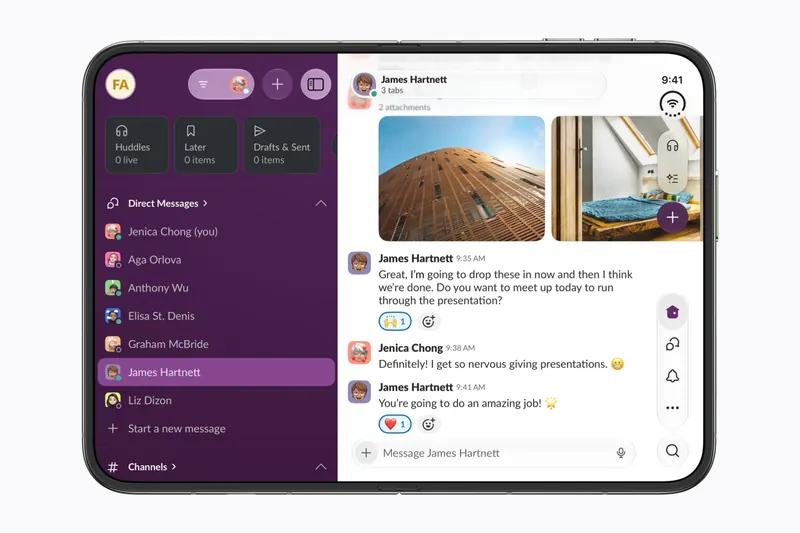
Slack
Slack Technologies
More of Slack and more of your messages on screen at once when iPhone Duo opens.
Launch partner: Named by Apple as an iPhone Duo launch partner.
- Open
Things 3
Cultured Code
Cultured Code's to-do app, with a sidebar of your lists when the Duo opens
Launch partner: Named by Apple in its Newsroom article of October 22, 2026, on apps optimized for iPhone Duo. The App Store release notes for version 3.25.1 (released October 22, 2026) say: "Things is ready for iPhone Duo! We’ve tailored the app for the new device, with a dynamic layout for all poses, a sidebar for your lists, and more."
- Open
- Closed
- Book
- Split View

WPS Office
Kingsoft Office
Kingsoft's office suite: more rows and columns open, and AI beside your document
Launch partner: Named by Apple in its Newsroom article of October 22, 2026, on apps optimized for iPhone Duo. The China App Store release notes for version 26.10.1 (released October 23, 2026) describe full iPhone Duo support: navigation that changes with the fold, more of a spreadsheet on the open phone, several documents on screen, and AI beside a document.
- Closed
- Open
- Split View