Laying out around the iPhone Duo fold
Reserved regions, ArrangementView, and the hinge-angle API. How to keep controls off the crease, and when a second display or a second window is actually available.
The fold is not a second column you invent by dividing the screen in half. The system already knows where the hinge is, whether it is currently in the way, and how a primary view and a secondary view should sit around it. Your job is to ask, and to move only the controls that would otherwise land on the crease.
Apple’s pose session calls this displacement. Move an element a short distance so it stays visible and reachable. Move related controls together. Leave scrolling content where it is. Feeds, articles, and lists already adapt when someone scrolls. A send button, a scrubber, or a floating action does not.
The design guide covers when to do any of this. The vertical bar guide covers the chrome. This page is the hinge.
In short
- The system reports the crease as a reserved region, 40 points wide, active only while the phone is partly folded. Read it; never compute it as half the width.
- Move only controls you placed yourself, and move them a short way. System containers already avoid the fold.
- Two parts that should sit on opposite sides of the fold go in an
ArrangementView, with navigation kept outside it. - The hinge angle is for things that move with the hinge, not for deciding where a button goes.
- The outer display, while the phone is open, is reserved for camera apps.
Which tool for which job:
| You want to | Use |
|---|---|
| Keep a button, scrubber or send control off the crease | Reserved regions, below |
| Put a list beside a detail, or a control panel over a main view, and have them split at the fold | ArrangementView |
| Make something bend, turn or play as the hinge moves | onHingeChange, in the hinge guide |
| Show something on the outer display while the phone is open | CameraCaptureAccessory, camera apps only, in the camera guide |
| Know whether the phone is closed, open or partly folded | Size classes first, then the hinge status |
Ask for the region
Safe areas describe the edges. They do not describe the hinge, and they do not describe every camera cutout. Both come back as reserved regions on a GeometryProxy, or on UIView in UIKit.
GeometryReader { proxy in
    let folds = proxy.reservedRegions(kind: .division)
    let cameras = proxy.reservedRegions(kind: .occlusion, options: [.includeInactive])
    // region.frame, region.margins, region.isActive, region.id
}
.division is the hinge: a band that splits the display. .occlusion is something covering the glass, such as a camera. Each region has a frame in that view’s coordinates, a margin to keep clear around the frame, an isActive flag, and an id that stays stable across coordinate spaces. The Bleeping Swift write-up notes you can match an id you saw in one view with one you read in another, and adds one more parameter: frames are mirrored in a right-to-left language by default, so pass layoutDirectionBehavior: .fixed when you need the physical position of the glass.
A division region is an active layout input only while the phone is partly folded. When the phone is flat, leave controls where they are. Kashif Mehmood’s correction on Bunny Lau’s Tweed post is the short form: posture tells you the mode, not where the seam is. Read the region for anything you placed by hand. System containers already avoid it.
Artem Novichkov built a set of sample apps against the iOS 27.1 simulator and wrote down what they showed, labelled as observations, not documented guarantees:
- The division region is active only when the device is partly folded. Flat, it is inactive. Its frame is the same in both states: 40 points wide, with 20 points of margin on each side of a fold line that itself has no width.
- Regions arrive after the first layout pass. Read them in the
GeometryReaderbody so the view updates. Do not cache them. Blake Crosley’s probe read nothing for the first six to nine evaluations of its body on each launch, then every region from then on. - Most regions are inactive unless you pass
.includeInactive. On a fully open phone the fold is an inactive division, and the camera is an inactive occlusion. - The status bar area of the vertical bar is an active occlusion.
- On the closed outer display, Artem saw no reserved regions at all. Blake’s probe, re-run on October 2, saw two active occlusions there: the camera, and the status column above the bars. Whichever build you have, read the regions instead of assuming either answer.
Do not tie anything to the angle at which the region becomes active. Ihor Malovanyi swept the simulator’s hinge slider four times and watched isActive switch on at 98°, 132.5°, 132.5° and 172.6°. Treat the flag as the truth of the moment and lay out again when it changes.
Use the active region to move controls. Use the inactive one for a coarser decision, such as preferring an even number of grid columns so a gutter can sit on the fold when the phone does bend. Artem’s tabletop sample puts artwork on one side of the active division and controls on the other: stacked in the laptop pose, side by side in the book pose. The even-columns sample uses the inactive region so the gutter is already in the right place.
Do not compute the hinge as “half the width.” Split View is a separate feature, and it really is half and half. The hardware fold is wherever the region says it is.
In UIKit, invalidate when the state changes. A UIHingeInteraction handler fires as the fold becomes active or inactive, which is the moment to lay out again.
ArrangementView, when you have two parts
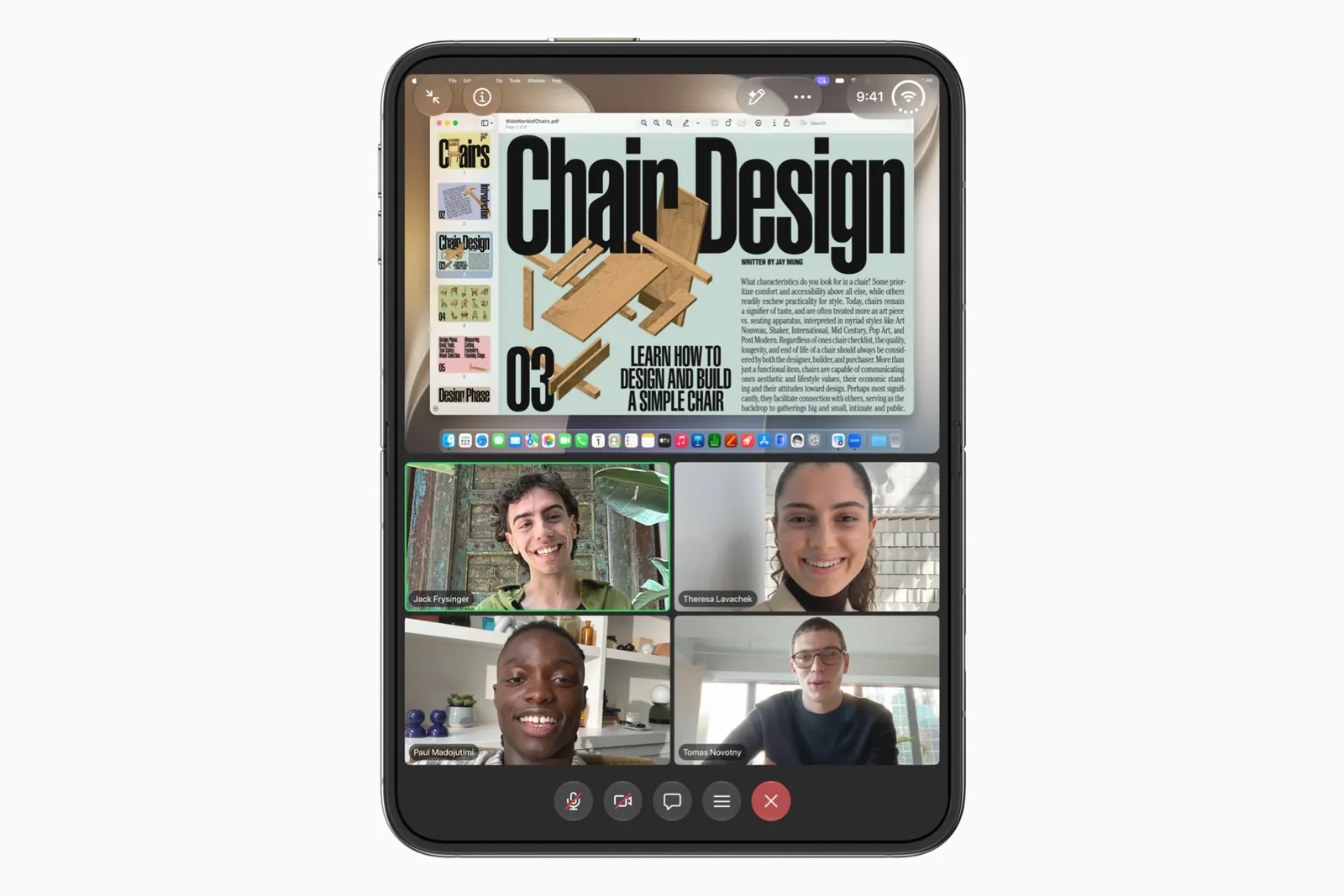
ArrangementView takes a primary view and a secondary view and places them for the space you have. It is a layout container. It is not a navigation container. Keep the NavigationStack outside it. Do not put a NavigationSplitView inside it, and do not drop an arrangement into a List or a ScrollView. Khoa Pham pulled that rule out of the pose session, and it matches the way the API is shaped: arrangements do not provide navigation, and they behave badly inside something that scrolls.
NavigationStack {
    ArrangementView {
        TranscriptView()
            .splitArrangementLayoutRatio(0.4)
    } secondary: {
        PlayerView()
    }
    .arrangementViewStyle(.split.axes([.horizontal, .vertical]))
}
.split divides the space. A transcript beside a player, a list beside a detail. You can limit the axes. If both views cannot fit along an allowed axis, Artem saw the secondary view disappear and only the primary remain. That happens, for example, with a vertical-only split on a wide display. In the book pose, the simulator put the split divider on the fold even when that overrode splitArrangementLayoutRatio, and Blake saw the split leave the 40-point band empty. Plan for the fold to win.
.overlay is the other style. The secondary view fills the container. The primary view floats, and when the phone is partly folded the two sit side by side.
ArrangementView {
    ResultsPanel()
        .overlayArrangementEdge(.leading)
} secondary: {
    MapView()
}
.arrangementViewStyle(.overlay)
overlayArrangementEdge is the side the panel takes when the layout stops floating. To know whether you are currently floating, read overlayArrangementZIndex from a subview of the panel. Artem measured the root of the primary content as always returning 0. Joshua Cleetus hit the same trap: a panel that reads the value from its own root never collapses. A value above 0 means you are covering the other view and should use the compact form.
struct ResultsBody: View {
    @Environment(\.overlayArrangementZIndex) private var zIndex

    var body: some View {
        if zIndex > 0 {
            ResultsSummary()
        } else {
            ResultsList()
        }
    }
}
UIKit’s container is UIArrangementViewController, with state(for:) in place of the environment value. You do not have to replace a working UISplitViewController with an arrangement. Use an arrangement when you already have two regions that should move to opposite sides of a fold, or a control surface over a main view.
The angle is for play, not for layout
onHingeChange reports a status (.closed, .partiallyOpen, .fullyOpen) and a continuous angle. UIKit’s version is UIHingeInteraction. A missing hinge comes back nil, which is what you get on any phone that does not fold.
.onHingeChange { _, context in
    if let hinge = context.hinge, hinge.status == .partiallyOpen {
        bend = amount(for: hinge.angle)
    } else {
        bend = 0
    }
}
That is the right shape for a pitch bend, a page turn, or a game that is played by folding. It is the wrong shape for “put the button over here.” The region and the arrangement already follow the hinge, including while it is moving. Artem’s other note: do not depend on how often the angle updates, or on how precise the degrees are. That rate is up to the system. If you only need the posture, read status. Pass isEnabled: false to pause delivery without removing the modifier. The hinge guide covers turning the angle into a control, with the detectors developers built for hinge games.
Apple’s engineers, in Anton’s group-lab notes, said the same thing as a preference: use the highest-level API that fits, and do not start from the raw angle. There is no API in that conversation for detecting which face is down on the table. The phone can sit either way. Design the partly folded layout so both ways still make sense.
Two displays at once, and a second window
Most apps never draw on both displays together. The outer display and the inner display are two moments of one app. The exception is a camera app. With an active camera session, and only while it is full screen on the inner display, it can show a CameraCaptureAccessory on the outer display for the person being photographed, such as Apple’s teleprompter example. The camera guide has the code and the rules.
A second window of your own app is an inner-display feature. The outer display cannot create one. UIWindowScene.ActivationAction hides itself when a new scene would fail, which is the case on the cover and would not be the case on an iPad. Two instances share app storage, including AppStorage. They are the same app.
If your interface is fully custom, none of the containers above are doing this for you, and the number of layouts to check grows fast. The checklist walks through them: every pose on the simulator, then the controls that land on the crease.
Quick reference
| SwiftUI | UIKit | |
|---|---|---|
| Where the fold and cameras are | proxy.reservedRegions(kind:options:) on a GeometryProxy |
view.reservedRegions(kind:options:) |
| Two parts around the fold | ArrangementView with .split or .overlay |
UIArrangementViewController |
| Am I floating over the other view? | @Environment(\.overlayArrangementZIndex), read from a subview |
state(for:) |
| The fold became active or inactive | The GeometryReader body runs again |
UIHingeInteraction |
| Pose and angle | onHingeChange |
UIHingeInteraction |
| Outer display while open, camera apps | sceneAccessory with CameraCaptureAccessory |
registerSceneAccessory with UISceneAccessory.cameraCapture() |
| A second window of your app | UIWindowScene.ActivationAction, hidden where it would fail |
the same |
Everything needs the iOS 27.1 SDK. Built against 27.0, the same code gets no regions, no arrangement behaviour and horizontal bars.
Keep reading
iPhone Duo app ideas: 6 things builders are doing with the fold
Over 300 demos, concepts and prototypes for iPhone Duo, sorted into the six patterns that keep coming up, from the half-folded laptop to the hinge as a controller. A starting point if you're deciding what to build.
Does iPhone Duo run iPad apps? The Duo and the iPad mini
iPhone Duo's inner display is nearly iPad mini sized, but it runs iOS, not iPadOS. What that means for iPad-only apps, why many Duo apps will look like their iPad versions, and what the Duo borrows from iPad.
iPhone Duo games: what's coming, and what the fold does for play
Which games have been shown on iPhone Duo, how un-updated games look on the open display, and the new kinds of play builders are making with the hinge, the half fold and two screens.