A 60-second brain dump that sorts your thoughts on the open display and types on the cover
Does BrainDrain: Brain Dump Journal work on iPhone Duo?
Yes, since version 2.5.0 on October 15, 2026, and seen in simulator screenshots of the open display. Its developer says the cover and the laptop-style half-fold are laid out too.
- Simulator verifiedRich Weiss, the developer (RDub Studios), in an email to FoldHunt on October 15, 2026, with unframed captures of the app on the open iPhone Duo display (braindrain.app) and composites of it closed, open, propped like a laptop and standing as a tent (braindrain.app). Version 2.5.0 came out on the App Store on October 15, 2026; its release notes say BrainDrain now fits iPhone Duo, folded or open, flat or propped up like a laptop.
Adapted for the fold
- Closed · Outer display
A quick capture, closed
On the cover, the timer ring sits above the text box and the keyboard, with the back, thought count and pause buttons down the right edge.
- Open · Inner display
Room to sort, open flat
Open flat, the drain puts the timer ring on the left and your thoughts and the text box on the right. Sorting puts the thought card beside the four piles, and progress spreads the week, the piles and your streak across the display.
- Book · Partly folded
Propped like a laptop
Half-folded, the keyboard takes the lower half and your thoughts and the text box sit above it, with the timer moved up into the top bar.
About BrainDrain: Brain Dump Journal
BrainDrain is a 60-second brain dump by Rich Weiss of RDub Studios, for busy, anxious or ADHD-wired minds. Start the timer and pour out what’s on your mind, typed or spoken, with no prompt and no blank page. Then swipe each thought into one of four piles: Within my Control, Need Someone’s Help, Outside of my Control, or Just a Happy Thought. What you can control becomes a reminder or a calendar event, what needs someone else becomes a message to them, and the rest you let go. One drain a day is free; BrainDrain Plus, by the week, the year or once for life, adds unlimited and longer drains, insights from on-device intelligence, progress by month and year, and a streak on widgets and Apple Watch. There’s no account and no ads, and your thoughts stay on the phone or in your own iCloud.
Version 2.5.0, out on October 15, 2026, lays the drain, the sorting and your progress out for whichever screen you’re holding. Closed, you type a quick capture on the cover. Open flat, the timer sits beside your thoughts and the sorting piles beside the card. Propped like a laptop, the keyboard takes the lower half and the timer moves to the top bar. The developer’s press kit also shows voice capture on the cover with the phone standing as a tent. The captures of the open display on the developer’s Duo page come from the iPhone Duo simulator.
Evidence reviews
What we checked, when, and what the evidence establishes. Each record preserves the support label at that check.
· Simulator screenshots reviewed
Simulator verified · iphone-duo
Checked the three unframed captures on the developer's Duo page. Each is 2853 × 2007 pixels, the size of the iPhone Duo simulator's open display turned sideways, with the status bar in a column down the right edge. They show the 60-second drain with the timer beside the thoughts, the thought card beside the four sorting piles, and the progress board.
Poses shown: Open. These are observations of the evidence, not a test of every interaction.
App version: Not recorded in this evidence. Environment: iPhone Duo simulator.
Only the open display was captured unframed: the closed, laptop and tent images are composites on Apple device artwork. The developer calls them actual app captures without naming the simulator. No build was tested.
View reviewed evidence ↗
Related guides

iPhone Duo poses: closed, open, book, standing and Split View
A plain-language guide to the ways you will hold iPhone Duo, what the phone itself does in each, and the apps and ideas that make the most of them. For anyone buying one, and for anyone building for it.
The best iPhone Duo apps so far (October 2026)
The apps worth installing on day one, from Apple's four launch partners to indie apps whose developers have shown a real iPhone Duo layout, picked for what they do when you open the phone.
Do your apps work on iPhone Duo? What happens before they're updated
Every iPhone app opens on iPhone Duo, but only updated ones fill the inner display. What an app looks like before its developer adapts it, how to tell which are ready, and which popular apps have said so.
Is this your app?
Add the badge to your site or press kit. It links back to this page, where fans can upvote you.

<a href="https://foldhunt.com/apps/braindrain/"><img src="https://foldhunt.com/badges/featured-on-foldhunt.svg" alt="Featured on FoldHunt" width="220" height="54"></a>Need to update the listing? Email the editor.
Sources: BrainDrain on the App Store (apps.apple.com) · BrainDrain 2.5.0 for iPhone Duo, with captures of the open display (braindrain.app) · BrainDrain press kit: iPhone Duo poses (braindrain.app)
More for iPhone Duo

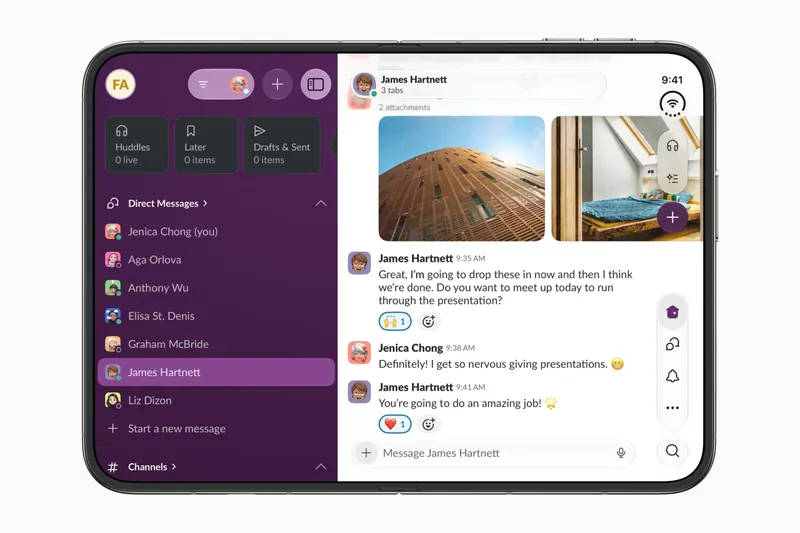
Slack
Slack Technologies
More of Slack and more of your messages on screen at once when iPhone Duo opens.
Launch partner: Named by Apple as an iPhone Duo launch partner.
- Open

Halo - Personal AI
Tanmay Sonawane
The day's briefing on one half and the AI chat on the other, open or half-folded
Simulator verified: Tanmay Sonawane, the developer, in a post on X with a video of Halo closed, half-folded and open on the iPhone Duo, saying it will be submitted that day (@tanmays on X). The App Store page does not mention the Duo yet.
- Closed
- Book
- Open
ThinkScribe
Sejalben Bahadursingh Bihola
A voice recorder with the transcript beside its summary on the open Duo
Simulator verified: The developer, in a guide on the ThinkScribe site on October 9, 2026, with three screenshots of the app running closed and open. The App Store release notes for version 1.8 (released October 13, 2026) add iPhone Duo support.
- Closed
- Open