An RSS reader with summaries: open, the article list sits beside the article
Does Bulletin: RSS News Reader work on iPhone Duo?
Yes, in version 3.1, out October 22 and seen in simulator screenshots: open, the article list sits beside the article, and you stay on the same paragraph as you fold or unfold.
- Simulator verifiedDom at Pixelfolio Inc., the developer, in a submission to FoldHunt on October 20, 2026, with a video and unframed screenshots from the iPhone Duo simulator in the Bulletin press kit (pixelfolio.app). The press kit lists version 3.1 and iPhone Duo among the platforms. Version 3.1 reached the App Store on October 22, 2026, and its release notes say "Bulletin 3.1 is made for iPhone Duo."
Adapted for the fold
- Open · Inner display
The list beside the article
Open, the article list sits beside the article, as on iPad, and you can hide the list to read the article on the whole display. Unfold it, close it or turn it, and you stay on the paragraph you were reading as the text reflows.
- Closed · Outer display
The iPhone app on the cover
Closed, Bulletin works as on any iPhone: your feeds and articles on the outer screen, with the toolbar in a rail beside the camera.
About Bulletin: RSS News Reader
Bulletin is a news reader powered by RSS: you choose every source, and no algorithm decides what you see. Smart Summary reads the whole article and sums it up in bullet points, a sentence or its key quotes, so you can decide what to read in full, and it can sum up a whole feed or category with citations. It can rewrite clickbait headlines, translate on device, mute phrases, import OPML and save articles to read later. It runs on iPhone, iPad and Mac.
Bulletin 3.1 is built for the iPhone Duo, Pixelfolio says. Closed, it’s the iPhone app on the outer screen. Open, the article list sits beside the article, or the article fills the display. Fold it, unfold it or turn it, and you stay on the paragraph you were reading.
Evidence reviews
What we checked, when, and what the evidence establishes. Each record preserves the support label at that check.
· Simulator screenshots reviewed
Simulator verified · iphone-duo
Checked the press kit's five unframed iPhone Duo screenshots, in the proportions of the simulator's displays and with the 9:41 status ring: the open display sideways with the list beside an Atlas Obscura article and upright with the article full screen, and the cover with the feed, the reader and Read Later. Also watched the 37-second video of the same screens, with an article staying on its paragraph as the phone unfolds.
Poses shown: Open, Closed. These are observations of the evidence, not a test of every interaction.
App version: 3.1. Environment: iPhone Duo simulator.
The press-kit screenshots are scaled down. Version 3.1 wasn't on the App Store when checked. No Xcode version is given, and no build was tested.
View reviewed evidence ↗
Related guides
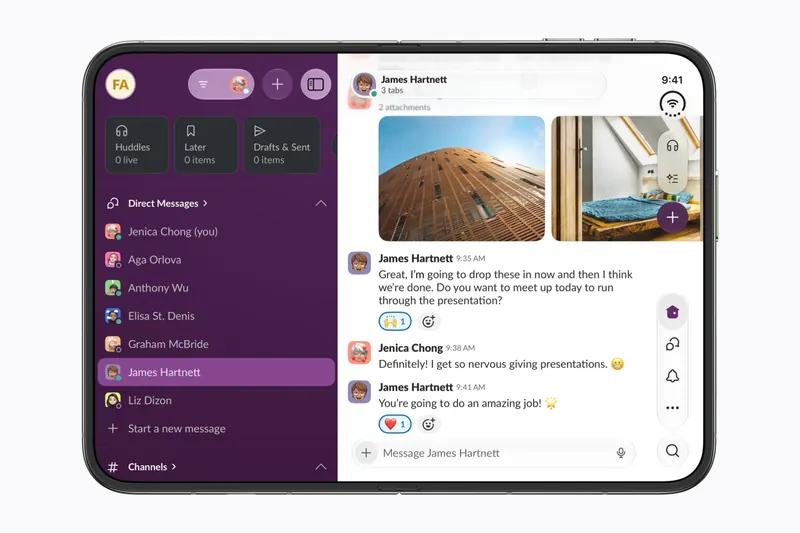
The best iPhone Duo apps so far (October 2026)
The apps worth installing now that iPhone Duo is on sale, from the apps Apple named as launch partners to indie apps whose developers have shown a real iPhone Duo layout, picked for what they do when you open the phone.
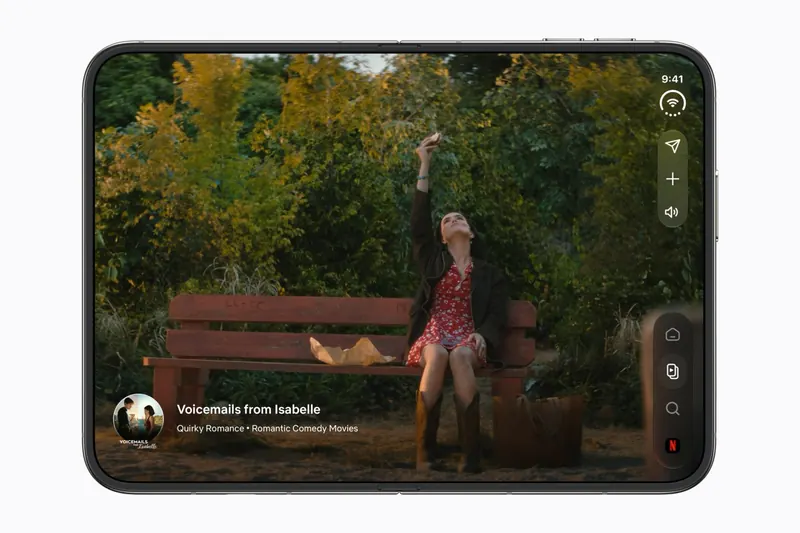
Do your apps work on iPhone Duo? What happens before they're updated
Every iPhone app opens on iPhone Duo, but only updated ones fill the inner display. What an app looks like before its developer adapts it, how to tell which are ready, and which popular apps have said so.
Is this your app?
Add the badge to your site or press kit. It links back to this page, where fans can upvote you.

<a href="https://foldhunt.com/apps/bulletin/"><img src="https://foldhunt.com/badges/featured-on-foldhunt.svg" alt="Featured on FoldHunt" width="220" height="54"></a>Need to update the listing? Email the editor.
Sources: Bulletin press kit, with iPhone Duo screenshots and video (pixelfolio.app) · Bulletin: RSS News Reader on the App Store (apps.apple.com)
More for iPhone Duo

Flit - Easy Feed
Edoardo Galati
An RSS reader that swipes through cards closed and splits list and article open
Simulator verified: Edoardo Galati, the developer, in a submission to FoldHunt on October 18, 2026, with a screen recording of the app on the iPhone Duo in a post on X (October 11, 2026), and in the App Store release notes. Version 1.3 (released October 18, 2026) says that on iPad, Mac and the open iPhone Duo, articles read in a comfortable column. Version 1.2.1 had already named a half-folded layout and Immersive View.
- Closed
- Open
- Book
- Split View

Scoopy: News Reader and Icebox
Basement Softworks, LLC
An RSS reader with no timeline: half-fold the Duo and an article reads like a book
Simulator verified: Dan at Basement Softworks, the developer, in a submission to FoldHunt on October 21, 2026. The developer's YouTube video "iPhone Duo App Demo: FINALLY in the simulator" (October 7, 2026) shows the app running in the iPhone Duo simulator. The App Store description of version 1.0 (released October 19, 2026) says Scoopy fully supports the iPhone Duo, with a new way to read articles in Book Mode.
- Book
- Open
- Closed
PodMelody
Slip Angle Dynamics Pty Ltd
One listening queue, with music beside podcasts when open
Simulator verified: The developer, in a post on X on October 12, 2026 with a picture of the app open (@PodMelody on X), and in the App Store release notes for version 1.1.6 (released October 11, 2026): closed, the mix and its player stay on the cover; open, Music sits beside Podcasts; and half-folded, Now Playing in the Editorial style divides at the fold.
- Open
- Closed
- Book