
A to-do list app that opens into its iPad sidebar, your lists beside the one you're on
Does Lista work on iPhone Duo?
Yes, says the developer: version 1.8 is ready for iPhone Duo, and open, Lista switches to the sidebar layout it uses on iPad and Mac.
- App Store confirmedTomatique, the developer, in a submission to FoldHunt on October 23, 2026, describing the cover, open, half-folded and Split View layouts. The App Store seller is Tomatique, Lda. The release notes for version 1.8 (released October 10, 2026) say: "Ready for iPhone Duo."
Adapted for the fold
- Closed · Outer display
The phone layout, closed
Closed, Lista keeps its iPhone layout. Toolbars run down the side when the pose calls for it, and items that don't fit move into the overflow menu.
- Open · Inner display
Spaces and lists in a sidebar
Open, it switches to the sidebar layout from iPad and Mac, with your spaces and lists beside the list you're viewing. Opening, closing and turning the phone resize it as you go.
- Book · Partly folded
Sidebar on one half
Partly folded, the sidebar sits on one side of the fold and the selected list on the other.
- Split View · Two apps
Drag between windows
Open two Lista windows side by side, or Lista beside another app, and drag items from one to the other.
About Lista
Lista is a to-do list app from Tomatique, a Portuguese studio, for iPhone, iPad and Mac. Lists live in spaces, so work and home stay apart, and any list can be broken into sections. Filters such as Starred, Today and Scheduled work at every level, across everything, in a space or in one list, with nothing to set up. Lists can be shared with family and edited together in real time, and dates typed in plain words (“next Monday”) are picked up as you write. There is no account: Lista syncs through your own iCloud. It is free for two spaces and five lists; Lista Pro lifts the limits for $2.99 a month or $29.99 a year.
Version 1.8 is ready for iPhone Duo, its release notes say. The developer says that open, Lista switches to the sidebar layout from iPad and Mac, with your spaces and lists beside the one you’re viewing; partly folded, the sidebar sits on one side of the fold and the list on the other. In Split View, two Lista windows can sit side by side and items can be dragged between them.
Evidence reviews
What we checked, when, and what the evidence establishes. Each record preserves the support label at that check.
· App Store page reviewed
App Store confirmed · iphone-duo
The App Store release notes for version 1.8 (released October 10, 2026) mention iPhone Duo: "Ready for iPhone Duo - Duplicate items, sections, and lists - User experience improvements"
App version: 1.8.
Store text only: we haven't seen the app running, and the store page doesn't show how each pose is used.
View reviewed evidence ↗
Related guides
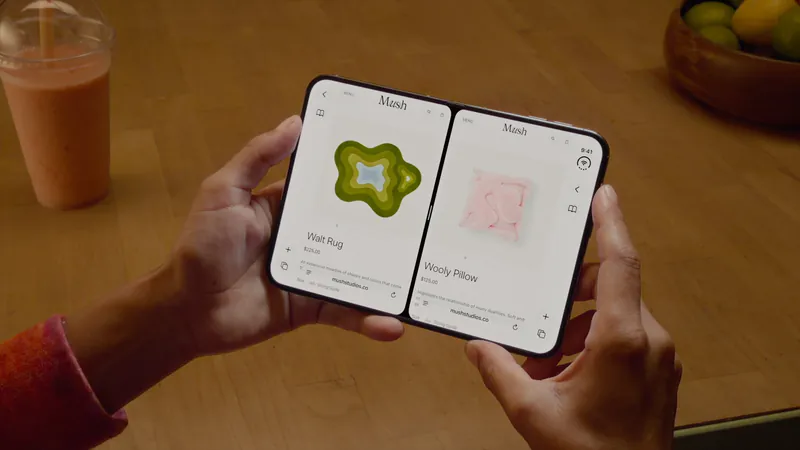
Split View on iPhone Duo: two apps side by side
iPhone Duo is the first iPhone that can show two apps at once. How Split View works, what its limits are, and which apps are built to share the screen.

iPhone Duo poses: closed, open, book, standing and Split View
A plain-language guide to the ways you will hold iPhone Duo, what the phone itself does in each, and the apps and ideas that make the most of them. For anyone buying one, and for anyone building for it.
The best iPhone Duo apps so far (October 2026)
The apps worth installing now that iPhone Duo is on sale, from the apps Apple named as launch partners to indie apps whose developers have shown a real iPhone Duo layout, picked for what they do when you open the phone.
Is this your app?
Add the badge to your site or press kit. It links back to this page, where fans can upvote you.

<a href="https://foldhunt.com/apps/lista/"><img src="https://foldhunt.com/badges/featured-on-foldhunt.svg" alt="Featured on FoldHunt" width="220" height="54"></a>Need to update the listing? Email the editor.
Sources: Lista on the App Store (apps.apple.com) · Lista website (lista.app)
More for iPhone Duo

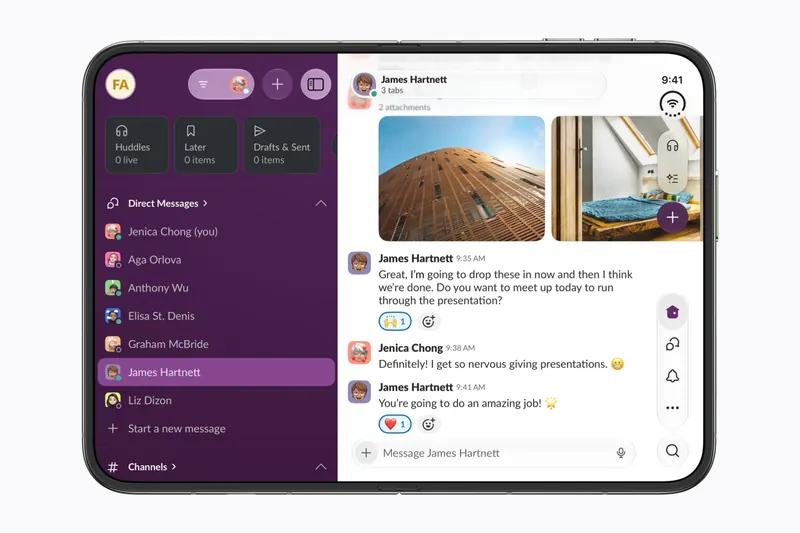
Slack
Slack Technologies
More of Slack and more of your messages on screen at once when iPhone Duo opens.
Launch partner: Named by Apple as an iPhone Duo launch partner.
- Open

Things 3
Cultured Code
Cultured Code's to-do app, with a sidebar of your lists when the Duo opens
Launch partner: Named by Apple in its Newsroom article of October 22, 2026, on apps optimized for iPhone Duo. The App Store release notes for version 3.25.1 (released October 22, 2026) say: "Things is ready for iPhone Duo! We’ve tailored the app for the new device, with a dynamic layout for all poses, a sidebar for your lists, and more."
- Open
- Closed
- Book
- Split View

WPS Office
Kingsoft Office
Kingsoft's office suite: more rows and columns open, and AI beside your document
Launch partner: Named by Apple in its Newsroom article of October 22, 2026, on apps optimized for iPhone Duo. The China App Store release notes for version 26.10.1 (released October 23, 2026) describe full iPhone Duo support: navigation that changes with the fold, more of a spreadsheet on the open phone, several documents on screen, and AI beside a document.
- Closed
- Open
- Split View