
Hand over your phone to show photos without your whole camera roll, a page on each side
Does TakeALook work on iPhone Duo?
Yes, since version 2.0: open it like a book for a photo on each page, set it on a table with the photo standing, or stand it as a tent facing your guest.
- App Store confirmedTorn Metal LLC, the developer, in a submission to FoldHunt on October 24, 2026, and on the TakeALook website. The App Store seller is Torn Metal LLC. The release notes for version 2.1 (released October 25, 2026) say 2.0 added iPhone Duo support and describe the book, tabletop and tent layouts. The YouTube short we watched is a render.
Adapted for the fold
- Book · Partly folded
A page on each side
Open it like a book and each half shows its own photo; Sync Pages, on by default, turns both pages together.
- Book · Partly folded
A reflection on the table
Set on a table, the photo stands on the upright half and casts a soft reflection on the flat half, mirrored at the fold, with the controls, details and map below.
- Standing · Hands-free
Tent for your guest
Stand it as a tent facing your guest and the slideshow plays by itself.
- Closed · Outer display
The whole app, closed
Closed, pick an album, a date range or a few photos on the cover, then hand over a viewer that can't leave that set.
- Split View · Two apps
Half the screen
In Split View, the whole app, guest viewer included, works in half the screen beside another app.
About TakeALook
TakeALook, from Torn Metal, is for handing your phone to someone to show them photos without giving them your whole camera roll. Pick an album, a date range or a few photos and videos, and the viewer you hand over can’t leave that set. Version 2.0 added a slideshow, saving a set as an album, and iPhone Duo support. It never edits or deletes your photos.
On iPhone Duo, open it like a book for a page on each side, turned together with Sync Pages. Set on a table, the photo stands on the upright half over its own reflection, with the controls and a map on the flat half; stood as a tent facing your guest, the slideshow plays by itself. The developer’s video of the poses is a render.
Evidence reviews
What we checked, when, and what the evidence establishes. Each record preserves the support label at that check.
· App Store page reviewed
App Store confirmed · iphone-duo
The App Store release notes for version 2.1 (released October 25, 2026) mention iPhone Duo: "NEW IN 2.0 2.0 added a slideshow, Save to Album, and support for iPhone Duo."
App version: 2.1.
Store text only: we haven't seen the app running, and the store page doesn't show how each pose is used.
View reviewed evidence ↗
Watch it unfold
Related guides
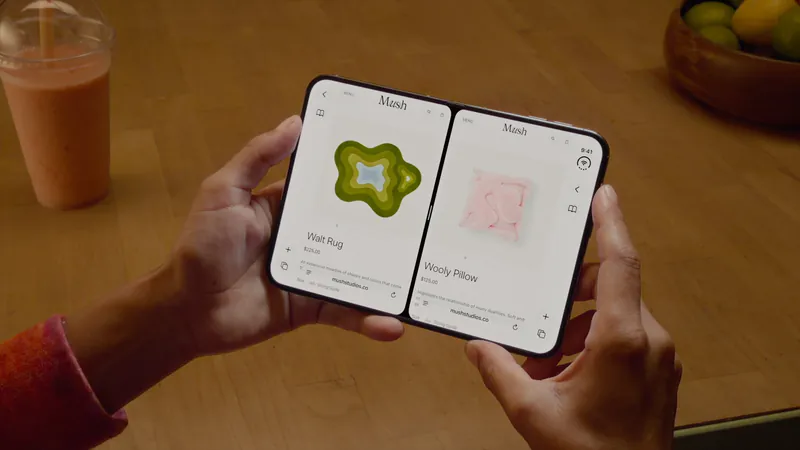
Split View on iPhone Duo: two apps side by side
iPhone Duo is the first iPhone that can show two apps at once. How Split View works, what its limits are, and which apps are built to share the screen.
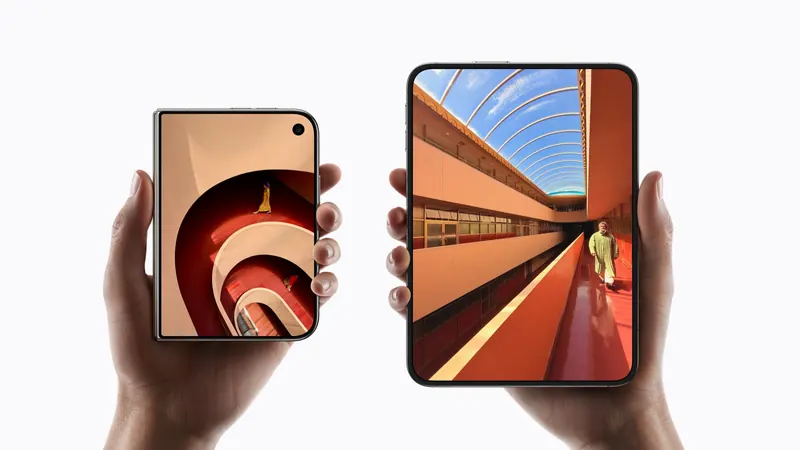
iPhone Duo poses: closed, open, book, standing and Split View
A plain-language guide to the ways you will hold iPhone Duo, what the phone itself does in each, and the apps and ideas that make the most of them. For anyone buying one, and for anyone building for it.
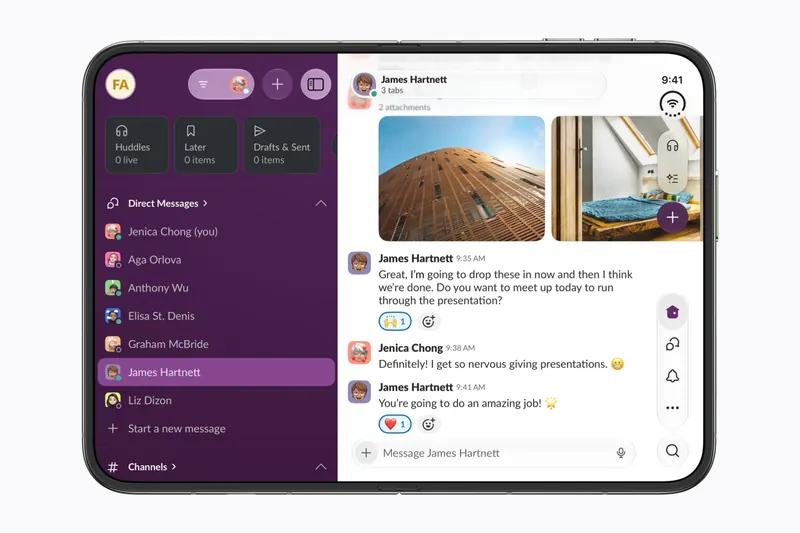
The best iPhone Duo apps so far (October 2026)
The apps worth installing now that iPhone Duo is on sale, from the apps Apple named as launch partners to indie apps whose developers have shown a real iPhone Duo layout, picked for what they do when you open the phone.
Is this your app?
Add the badge to your site or press kit. It links back to this page, where fans can upvote you.

<a href="https://foldhunt.com/apps/takealook/"><img src="https://foldhunt.com/badges/featured-on-foldhunt.svg" alt="Featured on FoldHunt" width="220" height="54"></a>Need to update the listing? Email the editor.
Sources: TakeALook website (tornmetal.com) · TakeALook on the App Store (apps.apple.com)
More for iPhone Duo

Detail
Detail Technologies
On-device AI video creation, built on the new Core AI framework.
Launch partner: Named by Apple as an iPhone Duo launch partner.
- Open

Edits
Instagram's video editor, with the timeline, tools and video together on the open Duo
Launch partner: Named by Apple in its Newsroom article of October 22, 2026, on apps optimized for iPhone Duo. The App Store release notes for version 453.1 (released October 27, 2026) don't mention the Duo.
- Open

VLLO
Vimosoft
Video editor with more of its controls and your footage on screen when open
Launch partner: Named by Apple in its Newsroom article of October 22, 2026, on apps optimized for iPhone Duo. The App Store release notes for version 15.0.3 (released October 27, 2026) say: "[Optimized for iPhone Duo] We’ve optimized the UI for a smoother experience on iPhone Duo."
- Open