
A life planner laid out for each Duo pose, down to a nightstand calendar
Does Y-Pod work on iPhone Duo?
Yes. Y-Pod has a layout made for iPhone Duo, and FoldHunt's editor has checked it in the simulator.
- Simulator verifiedYgee Esteban, in a video of the app in the iPhone Duo simulator posted on X on October 12, 2026 (@ygee07 on X), and on the app's site, whose iPhone Duo section shows it closed, open, half-folded on a table and standing (y-pod.app). The site is signed by Ygee, and the App Store seller is Yhanco Grey Esteban (id 6451288906). The release notes for version 3.1 (released October 12, 2026) list native support for iPhone Duo.
Adapted for the fold
- Closed · Outer display
A date picker over your entries
Closed, the cover puts a picker of days or decades above your entries and their timeline.
- Open · Inner display
Entries beside the time picker
Open flat, your entries, timeline and budget sit on the left, and the time picker and the round Pod menu on the right. The site calls it Notebook Mode.
- Book · Partly folded
Plans above, controls below
Half-folded on a table, your entries and timeline sit above the fold and the time picker or the round menu below it, in what the site calls Tabletop Mode.
- Standing · Hands-free
A nightstand calendar
Closed and stood on its side, the cover becomes a month calendar, with a slider above it that steps from days out to decades, in what the site calls Tent Mode.
About Y-Pod
Y-Pod breaks long-term goals into shorter plans on a timeline, alongside tasks, a journal, budgets, counters and reminders. Ygee Esteban’s video shows it in the iPhone Duo simulator, and the app’s site names each pose. Closed, a picker of days or decades sits above your entries. Open flat, the entries sit beside the time picker and the round Pod menu. Half-folded on a table, your plans go above the fold and the controls below. Stood closed on its side, the cover is a nightstand calendar. Version 3.1 lists native support for iPhone Duo.
Evidence reviews
What we checked, when, and what the evidence establishes. Each record preserves the support label at that check.
· Simulator recording reviewed
Simulator verified · iphone-duo
The developer's video shows Y-Pod running in the iPhone Duo simulator: closed, open flat, half-folded with the plans above the fold, and stood on its side as a nightstand calendar.
Poses shown: Closed, Open, Book, Standing. These are observations of the evidence, not a test of every interaction.
App version: Not recorded in this evidence. Environment: iPhone Duo simulator.
No app or Xcode version, and the site's mode names decide which poses some layouts belong to. No build was tested.
View reviewed evidence ↗· Developer media reviewed
Developer claimed · iphone-duo
Watched the developer's simulator video frame by frame and checked the five iPhone Duo images on y-pod.app: the cover, the open Notebook Mode, the half-folded Tabletop Mode and the standing nightstand calendar.
Poses shown: Closed, Open, Book, Standing. These are observations of the evidence, not a test of every interaction.
App version: Not recorded in this evidence.
A simulator recording and promotional images with no app or Xcode version, posted the day version 3.1 came out. The site's mode names decide which poses the video's layouts belong to. No build was tested.
View reviewed evidence ↗· Developer statement reviewed
Developer claimed · iphone-duo
The App Store's Fall Season Update event advertises Duo support, without describing the layouts shown in the developer's X video.
App version: Not recorded in this evidence.
The developer's written claim only. No pictures or video of the app on the Duo were checked, and no build was tested.
View reviewed evidence ↗
On the ideas wall
All ideas
Y-Pod is ready on Day 1 for iPhone Duo @AppStore #iPhoneDuo #iOS27 #buildinpublic

Related guides
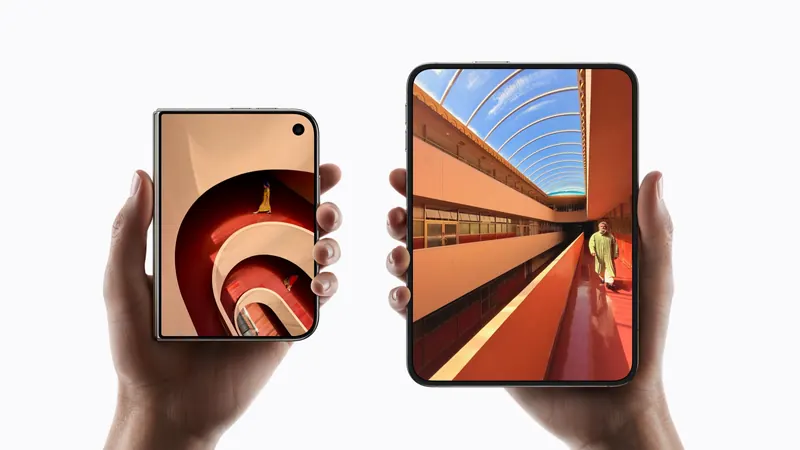
iPhone Duo poses: closed, open, book, standing and Split View
A plain-language guide to the ways you will hold iPhone Duo, what the phone itself does in each, and the apps and ideas that make the most of them. For anyone buying one, and for anyone building for it.
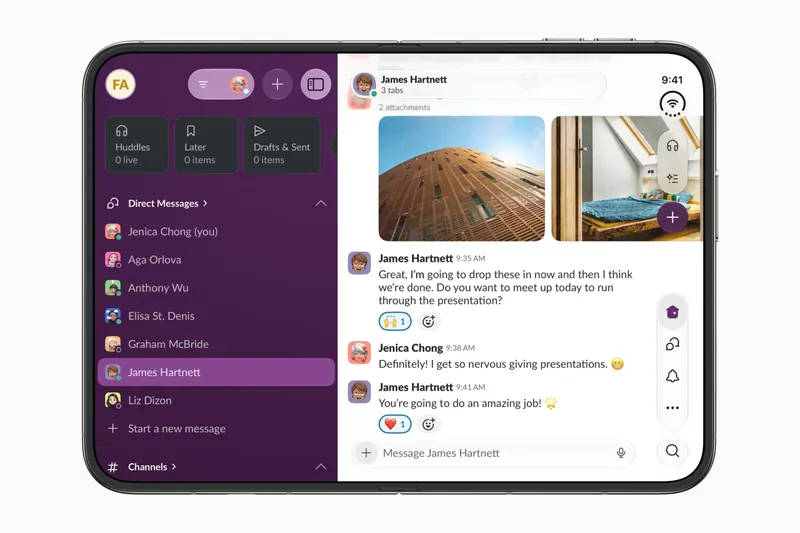
The best iPhone Duo apps so far (October 2026)
The apps worth installing on day one, from Apple's four launch partners to indie apps whose developers have shown a real iPhone Duo layout, picked for what they do when you open the phone.
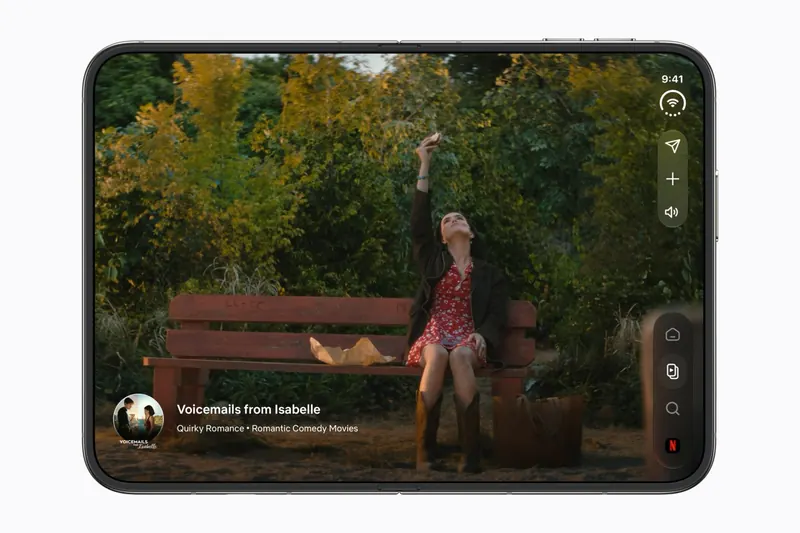
Do your apps work on iPhone Duo? What happens before they're updated
Every iPhone app opens on iPhone Duo, but only updated ones fill the inner display. What an app looks like before its developer adapts it, how to tell which are ready, and which popular apps have said so.
Is this your app?
Add the badge to your site or press kit. It links back to this page, where fans can upvote you.

<a href="https://foldhunt.com/apps/y-pod/"><img src="https://foldhunt.com/badges/featured-on-foldhunt.svg" alt="Featured on FoldHunt" width="220" height="54"></a>Need to update the listing? Email the editor.
Sources: Y-Pod for iPhone Duo (y-pod.app) · Y-Pod on the App Store (apps.apple.com) · Ygee Esteban on X (x.com)
More for iPhone Duo

Lake: Coloring Book for Adults
Lake d.o.o.
A coloring app rebuilt for the Duo, with a bigger canvas when you open it
Developer claimed: Lake, the developer, in a submission to FoldHunt on October 12, 2026, saying the iPhone Duo update ships on launch day, and in its press kit, which shows the app closed and open on the Duo (lake-coloring.notion.site). The App Store seller is Lake d.o.o. (id 1183717726). Version 4.32.0 (released September 22, 2026) does not mention the Duo, and neither does the description.
- Closed
- Open

QuotesVault - Pocket Wisdom
Dimitris Kontaris
Sourced quotes, collections in a sidebar when open, the quote above the fold on a table
Developer claimed: The App Store description, by the developer Dimitris Kontaris, has a "Ready for iPhone Duo" section, and the release notes for version 1.4.4 (released October 9, 2026) list fixes for the Duo held upright, set down like a laptop or stood on its side.
- Closed
- Open
- Book
Bauhaus Clock - Analog Watch
Atilla Taskiran
Two clocks stack on the cover when a second zone is on
Developer claimed: Atilla posted that the Duo adjustments for Bauhaus Clock have just started (@_atilla1 on X). The App Store seller is Atilla Taskiran (id 6755106534). Version 1.1 (released 2026-06-11) does not mention the Duo, and neither does the description.
- Closed
- Open
- Book