
A trip's map on one side of the open Duo, its stops and walk times on the other
Does PixoMap: Trip Maps from Photos work on iPhone Duo?
Yes, since version 1.4.1 on October 20, 2026, and seen in a simulator recording: open, a trip's map sits on one side and its stops, with walking and transit times, on the other.
- Simulator verifiedAmit Kumar Srivastava, the developer, in a submission to FoldHunt on October 22, 2026, describing the cover, open, half-folded and Split View layouts. The YouTube Short linked in the submission has since been removed by its uploader; PixoMap's channel posted a 60-second iPhone Duo Short on October 23 with captures from the simulator. The release notes for version 1.4.1 (released October 20, 2026) say PixoMap is ready for iPhone Duo, and the App Store description has an On iPhone Duo section.
Adapted for the fold
- Closed · Outer display
Plan in one hand
Closed, the cover keeps the phone layout, for planning a trip with one hand.
- Open · Inner display
The map on one side, the stops on the other
Open, a trip's map stands on one side and its stops on the other, with the walk and the public transport ride to each. On Make, where you build a trip, the map covers both halves, and held upright the open phone reads in one column, map on top and stops below.
- Book · Partly folded
Two sides, half-folded
Half-folded, a trip keeps the same two-sided layout as when the phone is open flat.
- Split View · Two apps
Beside Safari
In Split View next to Safari, you can read a travel article and see its places on the map.
About PixoMap: Trip Maps from Photos
PixoMap turns the photos in your library into trip maps. It reads where and when each photo was taken, on the phone, names every stop after its place, and draws the route in order along the streets, with the walk and the public transport ride between stops, each of which opens in Apple Maps. A whole trip fits in one QR code that a friend can scan, and a trip can become story pages in three styles. To plan the next one, search a city and tap the places you want, or follow one of more than 1,000 ready guides in nearly 300 cities. There’s no account; PixoMap is free with room for 10 maps, and subscriptions add more.
Version 1.4.1, out on October 20, 2026, gets PixoMap ready for the iPhone Duo. Open, a trip spreads out like a guidebook, with the map on one side and every stop on the other; turned upright, every page uses the open screen’s whole width, in one column. Closed, the cover keeps the familiar phone layout, and in Split View PixoMap sits beside Safari.
Evidence reviews
What we checked, when, and what the evidence establishes. Each record preserves the support label at that check.
· Simulator recording reviewed
Simulator verified · iphone-duo
Watched frames across PixoMap's 60-second Short: captures from the iPhone Duo simulator, with the 09:41 status ring, in a device frame. The cover shows the app's opening screens and globe; the open display, upright, shows a Paris trip's route and stops, Look Around at the Arc de Triomphe, photo story pages and the trip's QR code; turned sideways, it shows two panes side by side and a New York trip's map beside its stops.
Poses shown: Closed, Open. These are observations of the evidence, not a test of every interaction.
App version: Not recorded in this evidence. Environment: iPhone Duo simulator.
A promotional edit with titles and 3D-turned transitions, which weren't counted. The half-folded pose and Split View can't be told apart in it, and no app or Xcode version is given. The Short linked in the submission was removed by its uploader before we could watch it. No build was tested.
View reviewed evidence ↗
Watch it unfold
Related guides
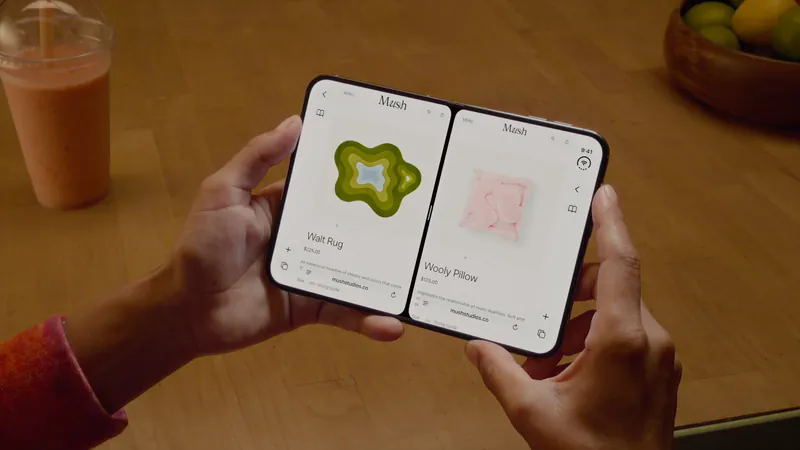
Split View on iPhone Duo: two apps side by side
iPhone Duo is the first iPhone that can show two apps at once. How Split View works, what its limits are, and which apps are built to share the screen.

iPhone Duo poses: closed, open, book, standing and Split View
A plain-language guide to the ways you will hold iPhone Duo, what the phone itself does in each, and the apps and ideas that make the most of them. For anyone buying one, and for anyone building for it.
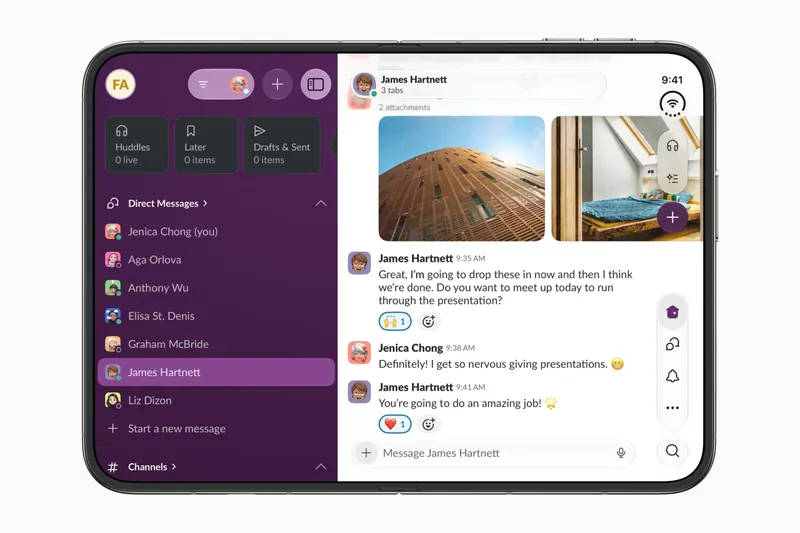
The best iPhone Duo apps so far (October 2026)
The apps worth installing on day one, from Apple's four launch partners to indie apps whose developers have shown a real iPhone Duo layout, picked for what they do when you open the phone.
Is this your app?
Add the badge to your site or press kit. It links back to this page, where fans can upvote you.

<a href="https://foldhunt.com/apps/pixomap/"><img src="https://foldhunt.com/badges/featured-on-foldhunt.svg" alt="Featured on FoldHunt" width="220" height="54"></a>Need to update the listing? Email the editor.
Sources: PixoMap: Trip Maps from Photos on the App Store (apps.apple.com) · PixoMap: Travel App for iPhone Duo, a YouTube Short from PixoMap (youtube.com)
More for iPhone Duo

AtlasDays: Country Day Tracker
Jorick van Meijeren
A country day tracker whose dashboard and timeline split along the fold when open
Simulator verified: Jorick van Meijeren, the developer, in an email to FoldHunt on October 23, 2026, and on the AtlasDays for iPhone Duo press page, with screenshots and a recording captioned as made in the iPhone Duo simulator. The release notes for version 2.8 (released October 22, 2026) say AtlasDays is ready for iPhone Duo: unfold it and the Dashboard, the Timeline and Settings spread out into two columns.
- Open
- Book
- Closed

Zaraz Jadę
Piotr Jeremicz
Warsaw's buses and trams live on the map, closed or open
Simulator verified: The developer, Piotr Jeremicz, posted a Duo simulator video of Zaraz Jadę and said it took only a handful of tweaks (@PiotrekJeremicz on X). The App Store release notes for version 4.3.1 (released October 21, 2026) say: "Zaraz Jadę now supports iPhone Duo!"
- Closed
- Open

Ride Radar
Matteo Dall'Ombra
Theme park wait times that float over a full park map when the Duo opens.
Simulator verified: Matteo Dall'Ombra, in Mastodon posts (mastodon.social and mastodon.social). The screenshots in the first post are from the iPhone Duo simulator.
- Closed
- Open
- Book